Metadata Report
Purpose
Find documents by metadata category and field values, then review or export the matching results.
Prerequisites
- You are signed in to EisenVault One.
- Your account has permission to view the Metadata Report.
- At least one document category with populated metadata exists in your tenant.
- You can open Reports from the left navigation.
Before You Begin
The Metadata Report is useful when you need to locate documents by structured fields (for example contract type, expiry date, or department code) rather than by filename alone.
Select a Category first. EisenVault One loads the metadata fields defined for that category so you can filter on them.
Run the Metadata Report
- Open Reports from the left navigation.
- Open the report type selector and choose Metadata Report.
- Select a Category under Filters.
- Optional: set Item type to All, Files, or Folders.
- Optional: choose a Metadata field to search within one field. The default is All fields.
- Optional: type in the search box to find items by name, category, or any metadata value. When a field is selected, the box searches only that field's values.
- Review the results table. When nothing matches, the page shows No records found.
- Optional: click Export and choose Excel, PDF, or CSV. Column headings in the export follow your selected language.
Example Walkthrough
Demonstration screenshots use redacted file titles from a staging tenant.
-
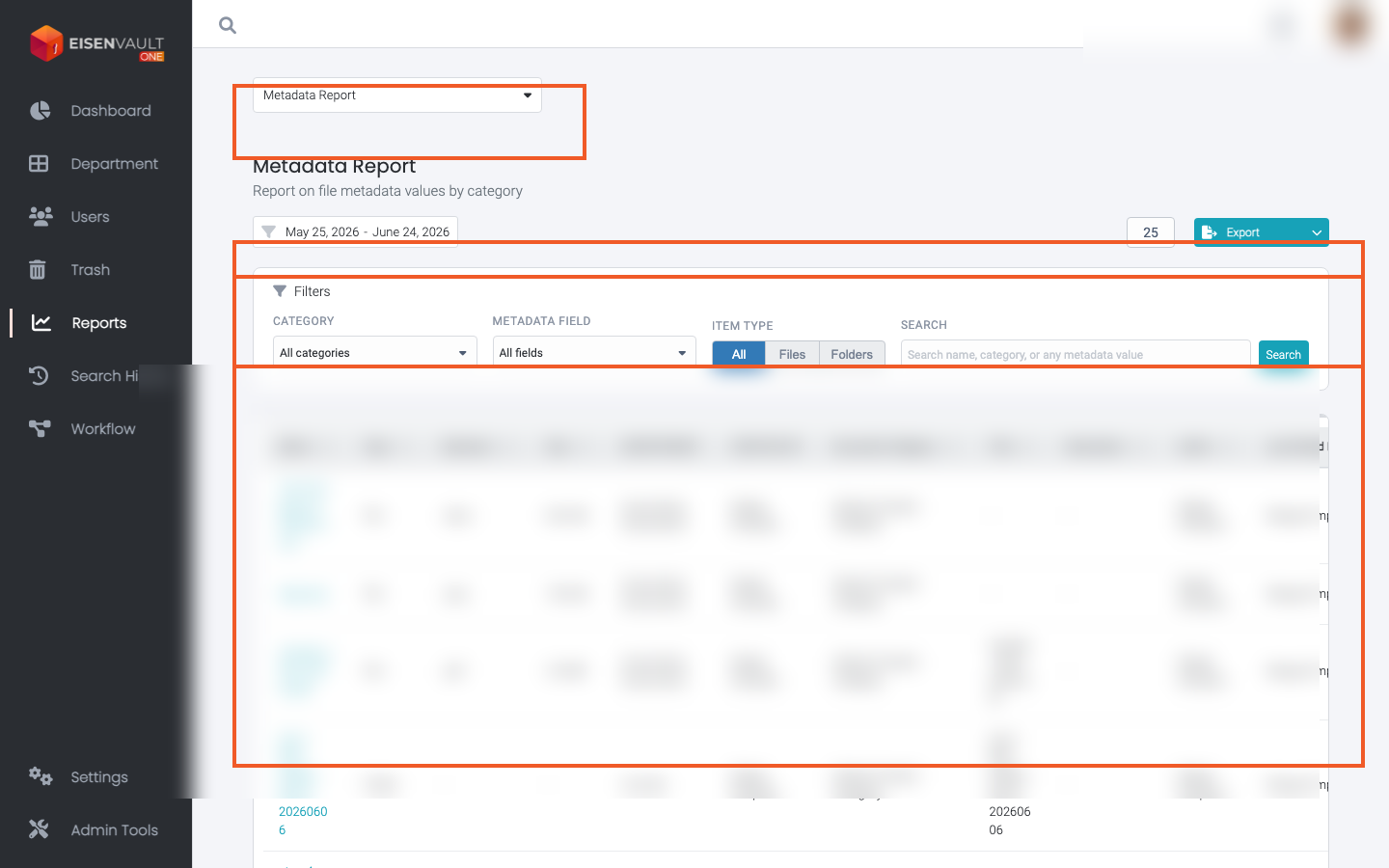
Open Reports and select Metadata Report. The type selector, category filters, and results table are highlighted.
Expected Result
- EisenVault One lists documents that match the selected category and metadata filters.
- Changing the category reloads the available metadata fields.
- Export downloads CSV or Excel when export is enabled for your role.