Update Metadata of Folder
Purpose
Assign a category to a folder and update folder-level metadata values. Folder categories work like document categories: the selected category controls which metadata fields appear.
Prerequisites
- You are signed in to EisenVault One.
- You can open the folder in the Explorer.
- You have permission to edit folder metadata.
Before You Begin
Folders use the same category and metadata designer concepts as documents. A folder can have one category at a time, and custom categories inherit fields from their parent category.
Update Folder Metadata
- Open Department and navigate to the folder.
- Open the folder row's options menu.
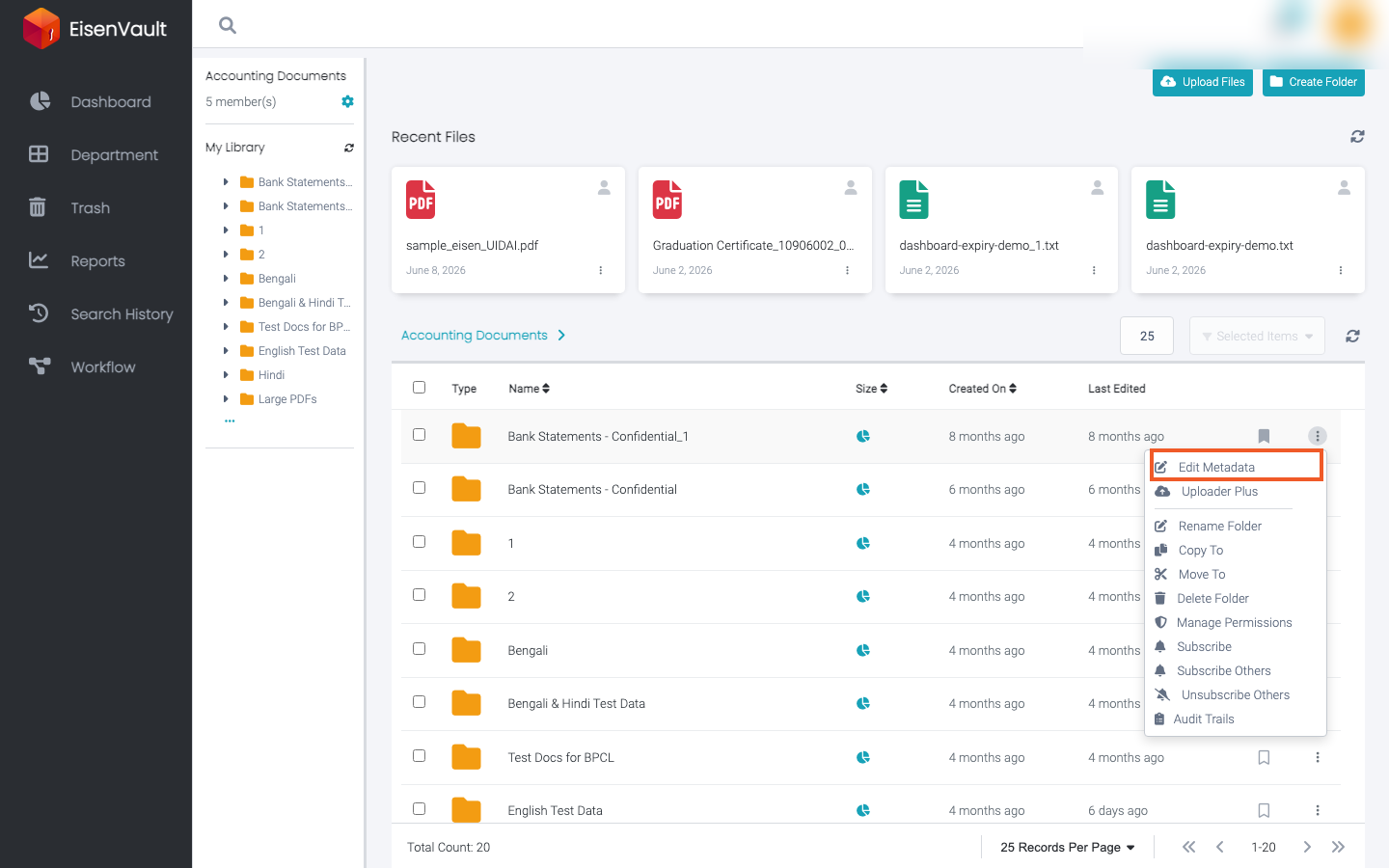
- Click Edit Metadata.
- Select the folder category from Document Category.
- Fill in the folder metadata fields.
- Click Save Changes.
Example Walkthrough
-
Open the folder's options menu and click Edit Metadata.
-
Select the folder category, fill the metadata fields, and click Save Changes.
Expected Result
- The folder is assigned to the selected category.
- Folder metadata values are stored on the folder.