Frequently Accessed
Purpose
See which documents you open most often in the last 30 days. The Frequently Accessed widget ranks files by view count so you can return to everyday content quickly.
Prerequisites
- You are signed in to EisenVault One.
- You can open Dashboard from the left navigation.
- You have opened at least one document in the last 30 days to populate the widget.
Before You Begin
- Frequently Accessed is a dashboard widget only; there is no separate full-page list.
- Counts reflect documents you personally viewed, not organization-wide totals.
- The look-back window is approximately the last 30 days.
View Frequently Accessed Documents
- Open Dashboard.
- Scroll to the Frequently Accessed widget.
- Review file names and view counts.
- Click a file name when the widget supports navigation to that document.
If you have not opened documents recently, the widget shows No frequently accessed documents in the last 30 days.
Example Walkthrough
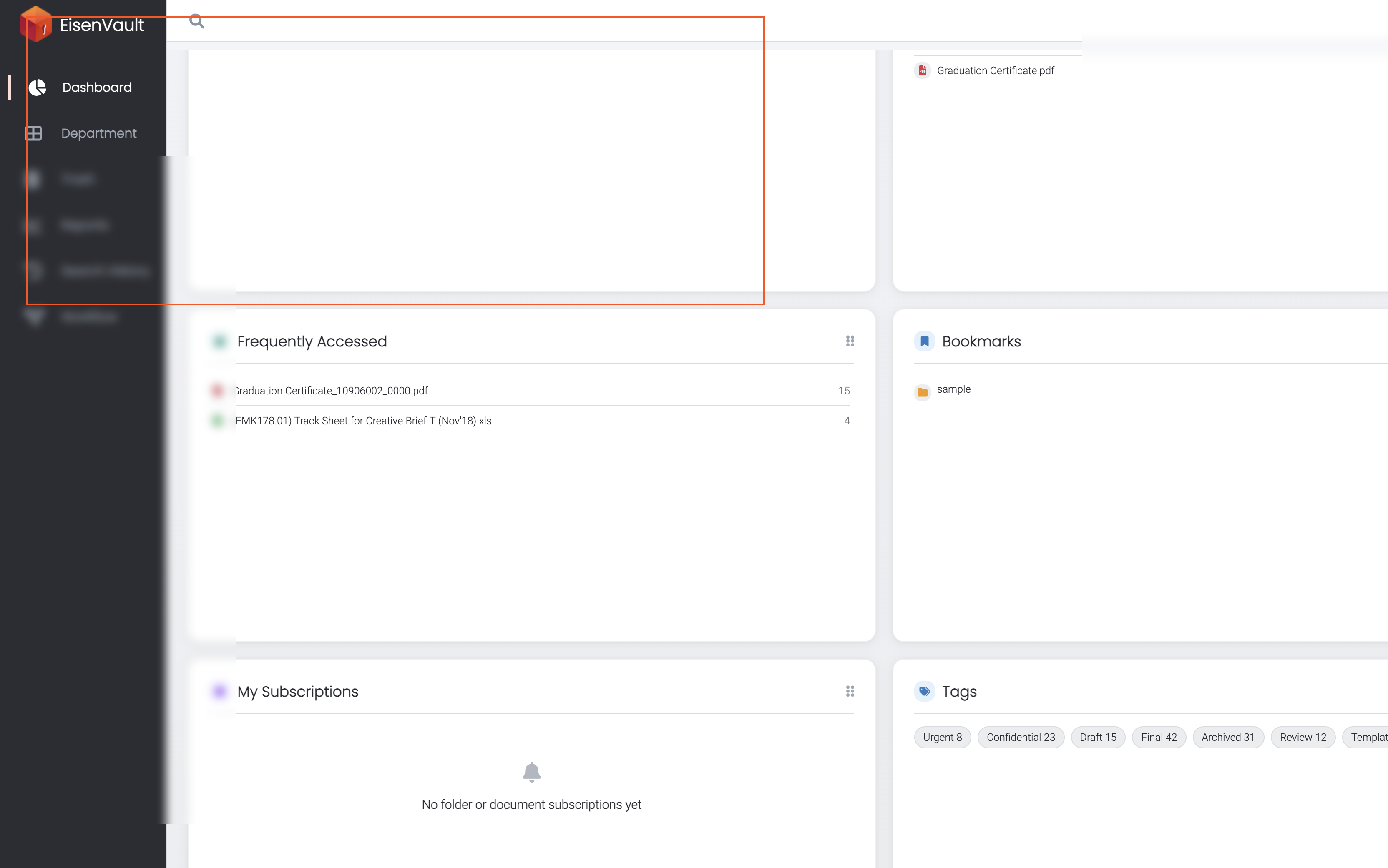
Demonstration screenshots use redacted file names.
-
The Frequently Accessed widget lists your most-viewed files with counts on the right.
Expected Result
- The widget shows up to the configured number of frequently viewed documents with counts.
- An empty state appears when no views occurred in the look-back window.
- Widget visibility and position follow your dashboard preferences.