Sort Document Library View
Purpose
Sort the document library so folders and documents are easier to find.
Prerequisites
- You are signed in to EisenVault One.
- You can open the department or folder you want to review.
Before You Begin
Sorting changes how the current list is displayed. It does not move, rename, or otherwise change the underlying files and folders.
Available sort columns may vary by deployment, but common columns include name, modified date, creator, size, and document category.
Sort the Document Library
- Click Department in the left navigation and select a department.
- Navigate to the department or folder you want to review.
- In the document library, click the column heading you want to sort by.
- Click the same heading again to switch between ascending and descending order.
- Review the reordered folders and documents.
Example Walkthrough
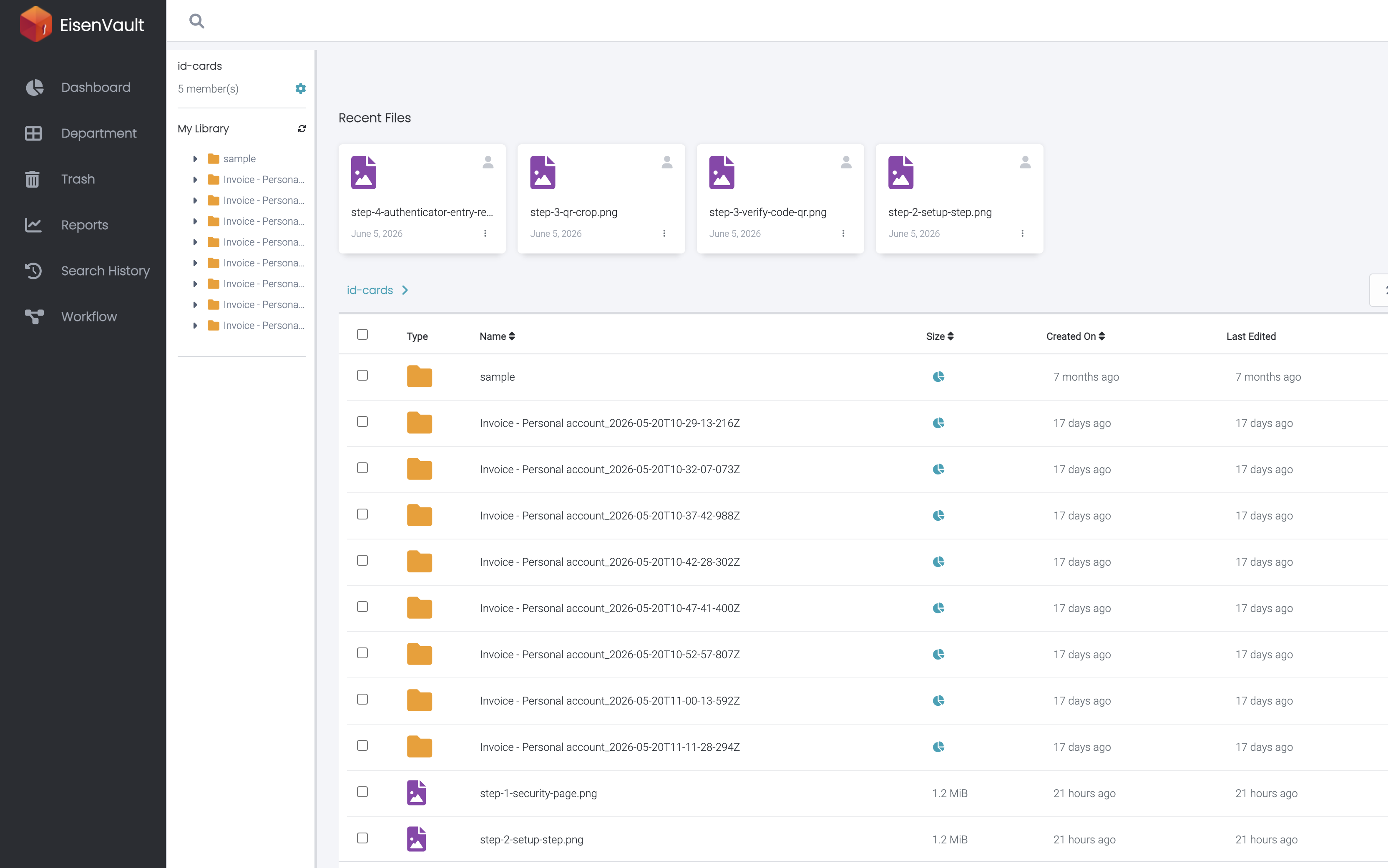
The screenshot below shows sortable column headers in the id-cards document library.
-
Click a column heading such as Name, Size, or Created On to sort the list. Click the same heading again to reverse the sort order.
Expected Result
- The current document library is reordered using the selected column.
- The sort direction updates when you click the same column again.
- Your content and metadata are not changed.