Groups Overview
Purpose
Groups let you manage access at scale by organizing users into named collections. In EisenVault One, groups can contain:
- Users
- Other groups (subgroups)
Groups are typically used together with roles and content permissions so you can grant access to a department, folder, or document to a group rather than managing permissions for each user individually.
Note: This action may require administrator privileges.
Key Concepts
Nested groups
Groups can include subgroups, and subgroup membership is treated as membership in the parent group. This is useful for modeling organizational structures like “Company > HR > HR Managers”.
System groups vs custom groups
Some groups may be created by the system and have restrictions on deletion or membership changes. If you cannot delete or edit a group, check whether it is a system group or whether it is referenced by other groups or content permissions.
Groups in the UI
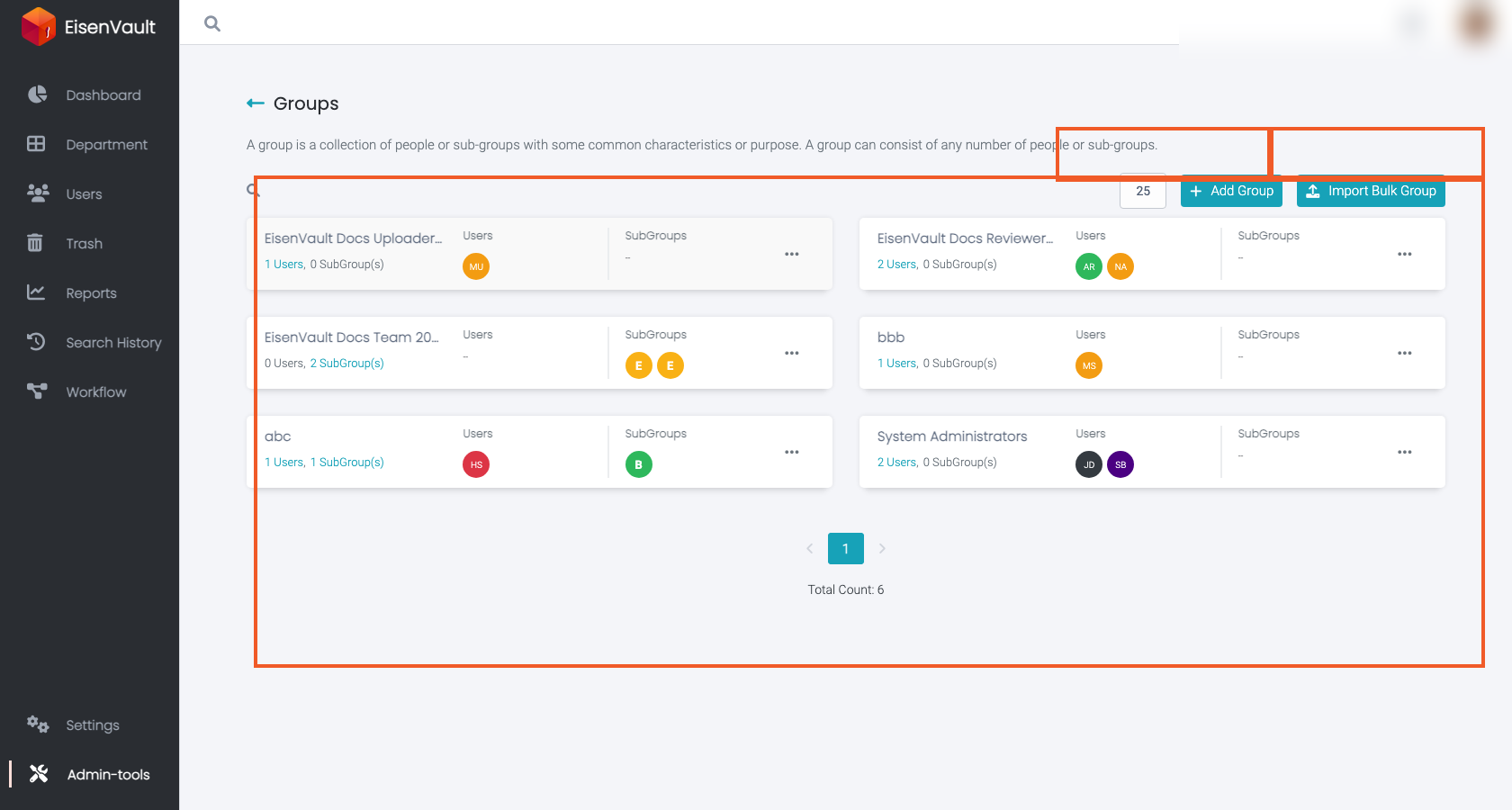
Open Admin Tools > Groups to manage groups from a table with Name, Users, and SubGroups columns. Click a group name to open its details. Point to a custom group's row to reveal Delete at the end of the row.
Common Tasks
- Create a Group
- Edit Group Membership
- Add Users to a Group
- Add Subgroups to a Group
- Delete or Troubleshoot Groups
- Bulk Import Groups