Permissions Overview
Purpose
Permissions control what users can do in EisenVault One, both administratively and on content (departments, folders, and documents). This section explains the permission model so administrators can reason about access, troubleshoot problems, and apply roles safely.
Note: This action may require administrator privileges.
The Building Blocks
Users
Users are individual accounts that sign in and perform actions.
Groups
Groups are collections of users and other groups (subgroups). Group membership can be nested, and membership contributes to effective permissions.
Related topic:
Roles
Roles are bundles of permissions. Roles can be:
- Global (system-wide)
- Content-scoped (applied to departments/folders/documents)
Related topic:
How EisenVault One Evaluates Permissions (At a High Level)
- Global roles grant global permissions.
- Content roles grant permissions on specific content items.
- Effective permissions are additive across the roles you receive (directly or via group membership).
For detail, see:
Permissions in the UI
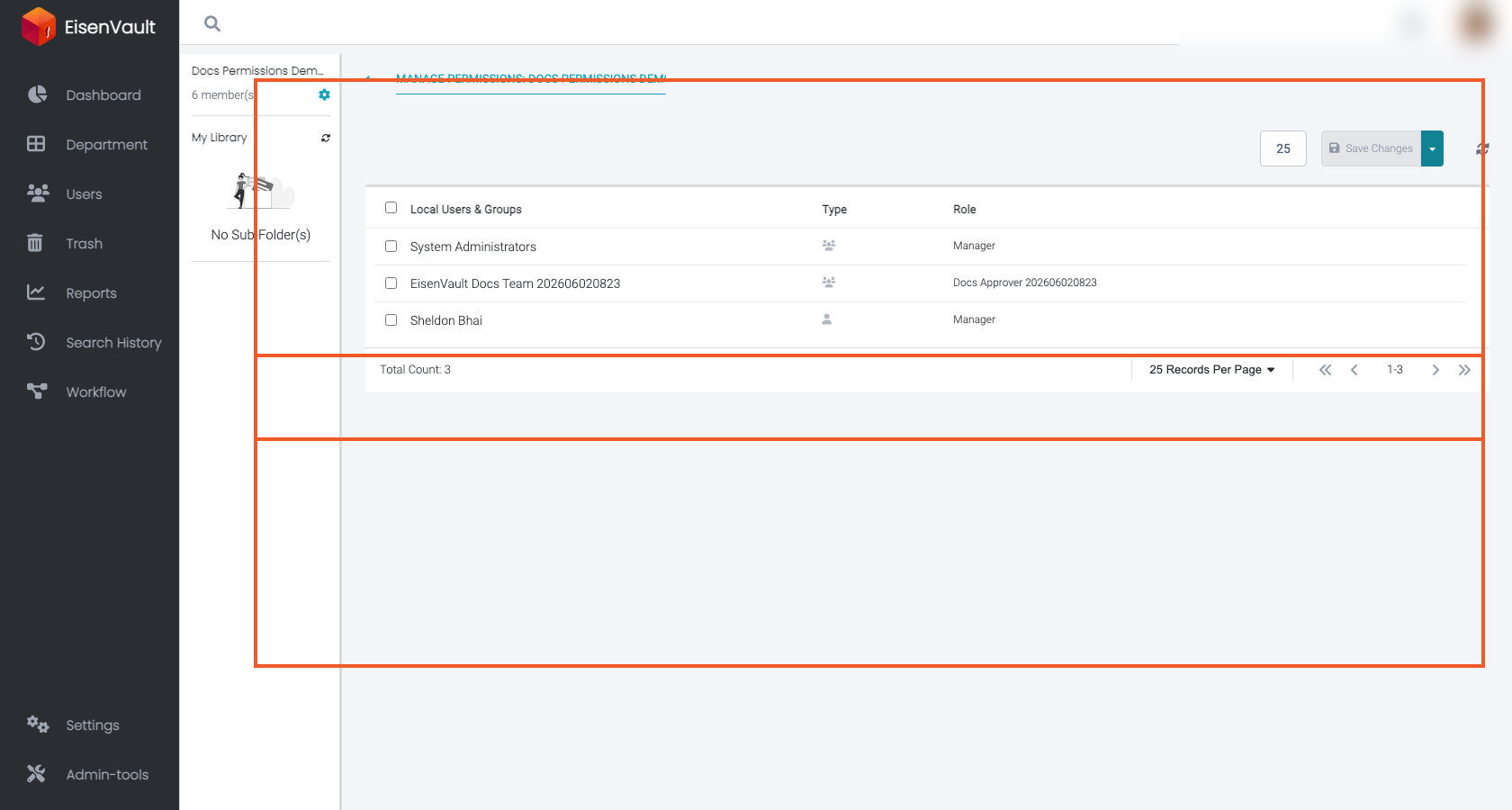
Content permissions are assigned from Manage Permissions on a department, folder, or document. The screen shows local assignments and inherited access from parent content.