Moving Dashlets Around
Purpose
Customize the regular user dashboard by showing or hiding widgets and by dragging overview cards and widgets into the order you prefer. EisenVault One saves your layout on your user profile.
Prerequisites
- You are signed in to EisenVault One.
- You can open Dashboard from the left navigation.
Before You Begin
Two kinds of dashboard items can be customized:
- Overview cards — the five metric cards in the Overview row (New Documents, Updated / Modified, and so on). Drag a card within the row to reorder it.
- Widgets — panels such as Recent Activity and Bookmarks in the grid below. Drag a widget by its handle to reorder it. Use Manage Widgets to turn widgets on or off.
Reorder changes save automatically after a short delay. Hidden widgets stay in your preferences but are not shown on the dashboard.
Show or Hide Widgets
- Open Dashboard.
- Beside the Overview heading, click Manage Widgets.
- In the Widgets panel, use the toggle beside each widget name to show or hide it.
- Click outside the panel or the close icon to dismiss it.
Reorder Overview Cards
- On Dashboard, move the pointer over an overview card.
- Press and drag the card left or right within the Overview row.
- Release the card in the new position.
- Refresh the page or sign in again later to confirm the order persisted.
Reorder Widgets
- On Dashboard, find the six-dot drag handle on a widget header.
- Press and drag the widget within the widget grid.
- Release the widget in the new position.
Example Walkthrough
Demonstration screenshots use redacted data.
-
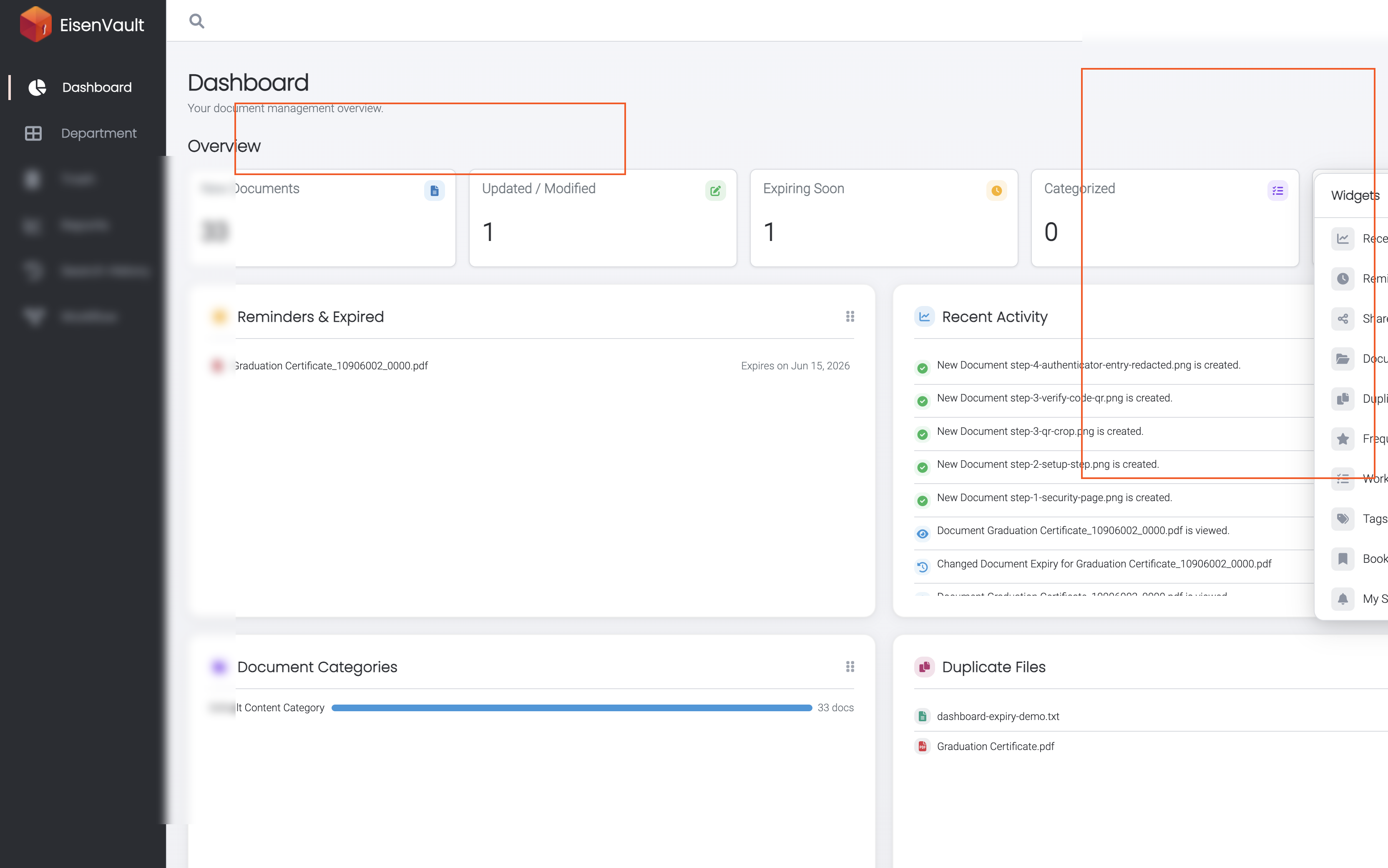
Click Manage Widgets to open the widget list. Toggles control which widgets appear on the dashboard.
-
Drag overview cards or widgets to match the layout you use most often. EisenVault One stores the order on your profile.
Expected Result
- Toggled-off widgets disappear from the dashboard but remain available in Manage Widgets.
- Overview card order and visible widget order reflect your last saved arrangement.
- Layout preferences persist across sessions for the same user account.