New Documents
Purpose
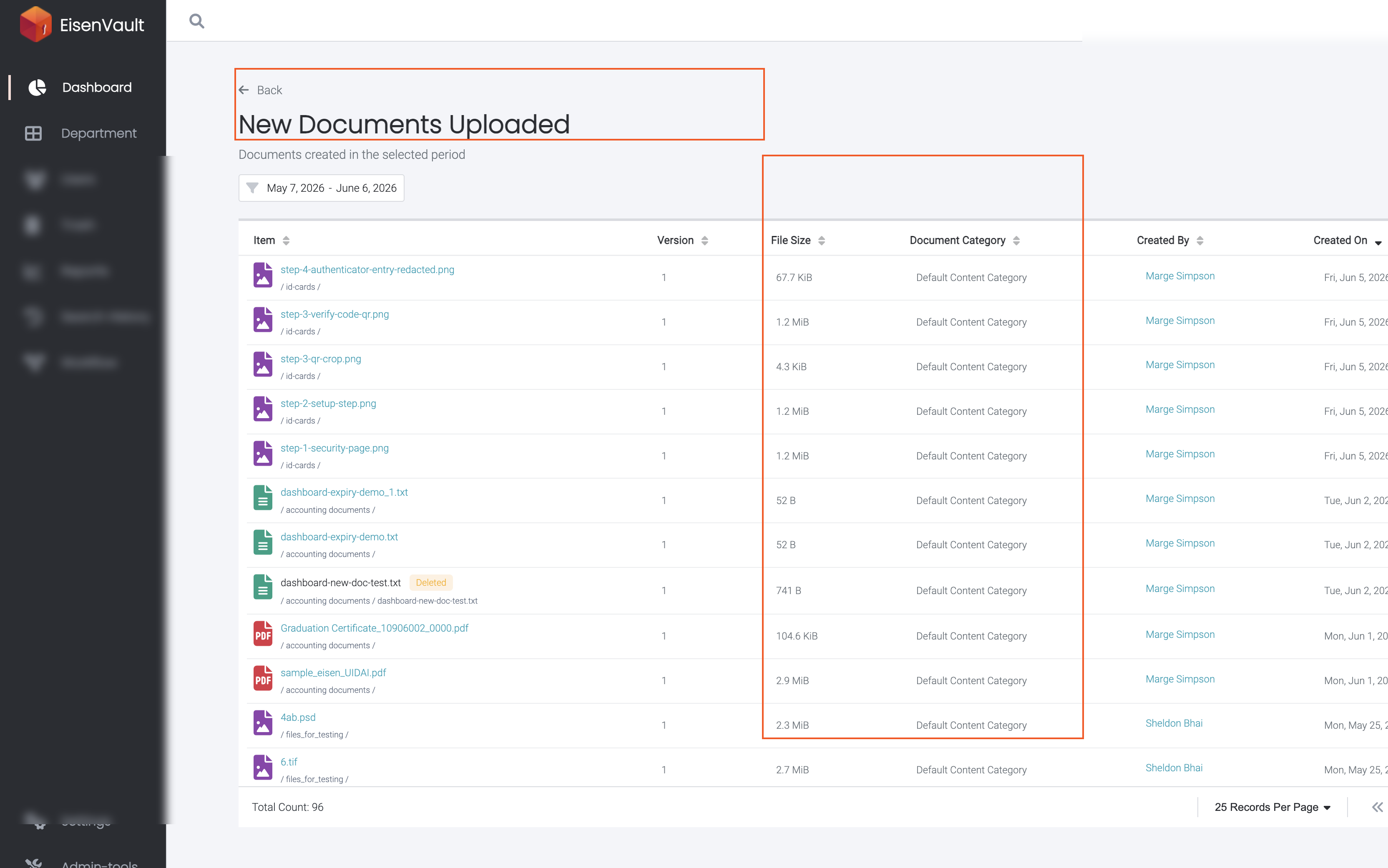
Review every document uploaded in the organization during the dashboard date range. The New Documents overview card shows the total count; the New Documents Uploaded list shows each file with metadata and creator details.
Note: This action may require administrator privileges.
Prerequisites
- You are signed in to EisenVault One as a system administrator.
- You can open Dashboard from the left navigation.
Before You Begin
- The overview card and list both use the dashboard date range.
- The list includes documents across all departments you can administer.
- Deleted files may appear with a Deleted badge and cannot be opened.
View New Documents from the Dashboard
- Open Dashboard.
- Set the date range, then click Apply Filter.
- Note the New Documents count in the first overview row.
- Click the New Documents card.
Work with the New Documents Uploaded List
On the New Documents Uploaded page:
- Confirm the subtitle Documents created in the selected period.
- Sort by Item, Version, File Size, Document Category, Created By, or Created On.
- Click a document or folder name to open it when still available.
- Use pagination for large result sets.
- Click Back to return to the dashboard.
Example Walkthrough
Demonstration screenshots use redacted names and file titles.
-
Click New Documents on the administrator dashboard.
Expected Result
- The overview card shows the upload count for the selected period.
- The list page shows one row per uploaded document with sortable columns.
- Back returns to the dashboard with the same date range.