Create New Version of Document
Purpose
Upload a new file version for an existing document while keeping the same document record, permissions, subscriptions, and audit history.
Prerequisites
- You are signed in to EisenVault One.
- You can open the document in preview.
- You have permission to upload a new version.
Before You Begin
Creating a new version replaces the current file content for the document. The version number increases, and the previous version remains available in Version History.
Use a clear version comment when your organization tracks why a file changed.
Create a New Version
- Navigate to the document and open it in preview.
- In the right-hand actions panel, click Upload New Version.
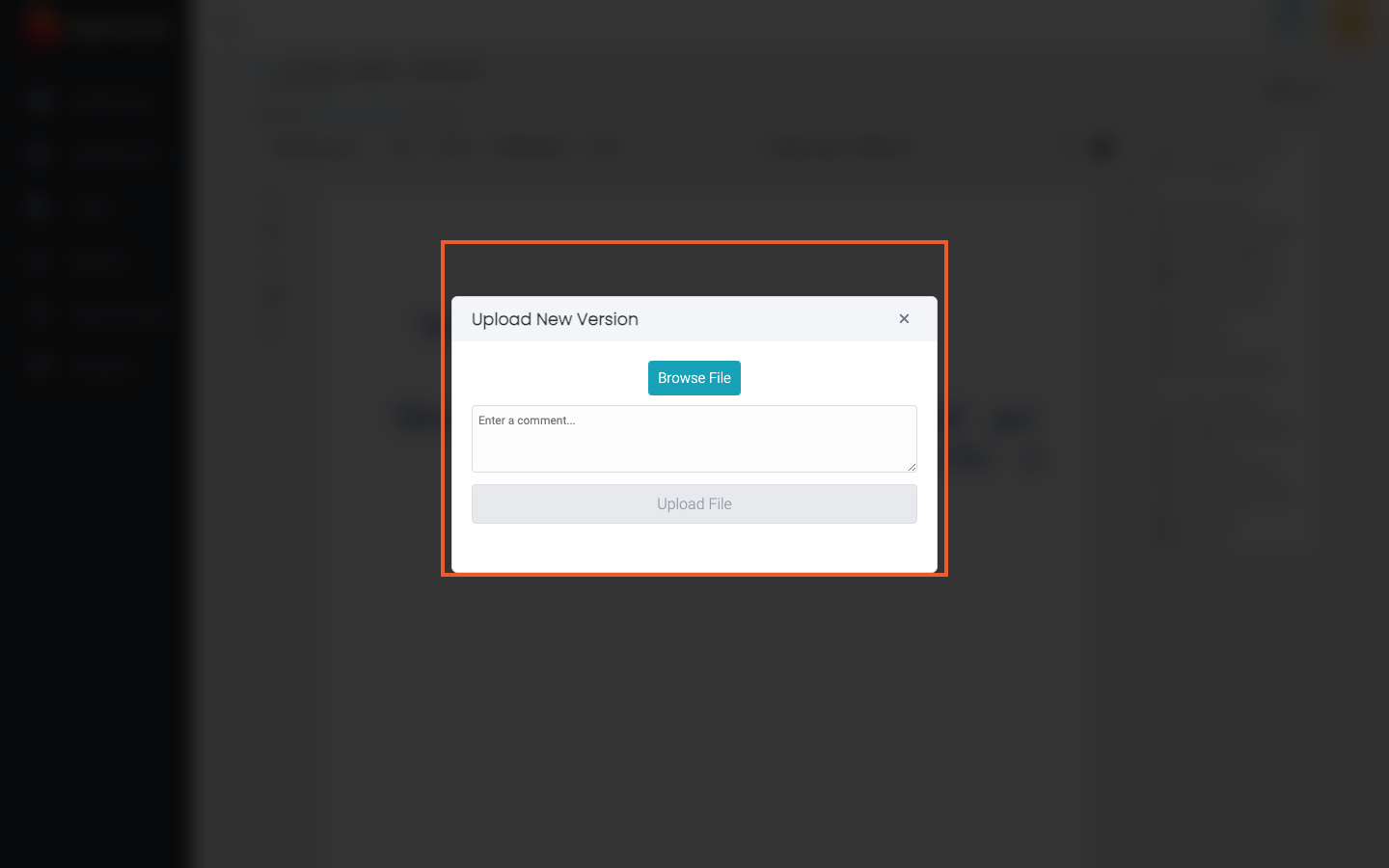
- In the Upload New Version window, click Browse File and select the replacement file.
- Optionally enter a comment in Enter a comment....
- Click Upload File.
- Wait until the upload completes and the window closes.
Example Walkthrough
-
Open the document preview and click Upload New Version.
-
Select the replacement file, add an optional comment, and click Upload File.
Expected Result
- The document content is updated to the uploaded file.
- The version number increases.
- The new version appears in Version History.
- Audit trails record the version change when auditing is enabled.