Document Management
Purpose
Use Document Management tasks to open documents, upload content, maintain versions and metadata, control access, track activity, and run document services such as OCR.
What You Can Do
From the Department explorer and document preview page in EisenVault One, you can:
- Open and read documents in the built-in viewer.
- Upload new documents and create new versions of existing files.
- Update document and folder metadata.
- Edit supported files in OnlyOffice.
- Set document expiry dates.
- Review version history and restore older versions.
- Manage permissions on files and folders when your role allows it.
- Subscribe to changes and subscribe other users.
- View and export audit trails.
- Run OCR on supported documents.
Before You Begin
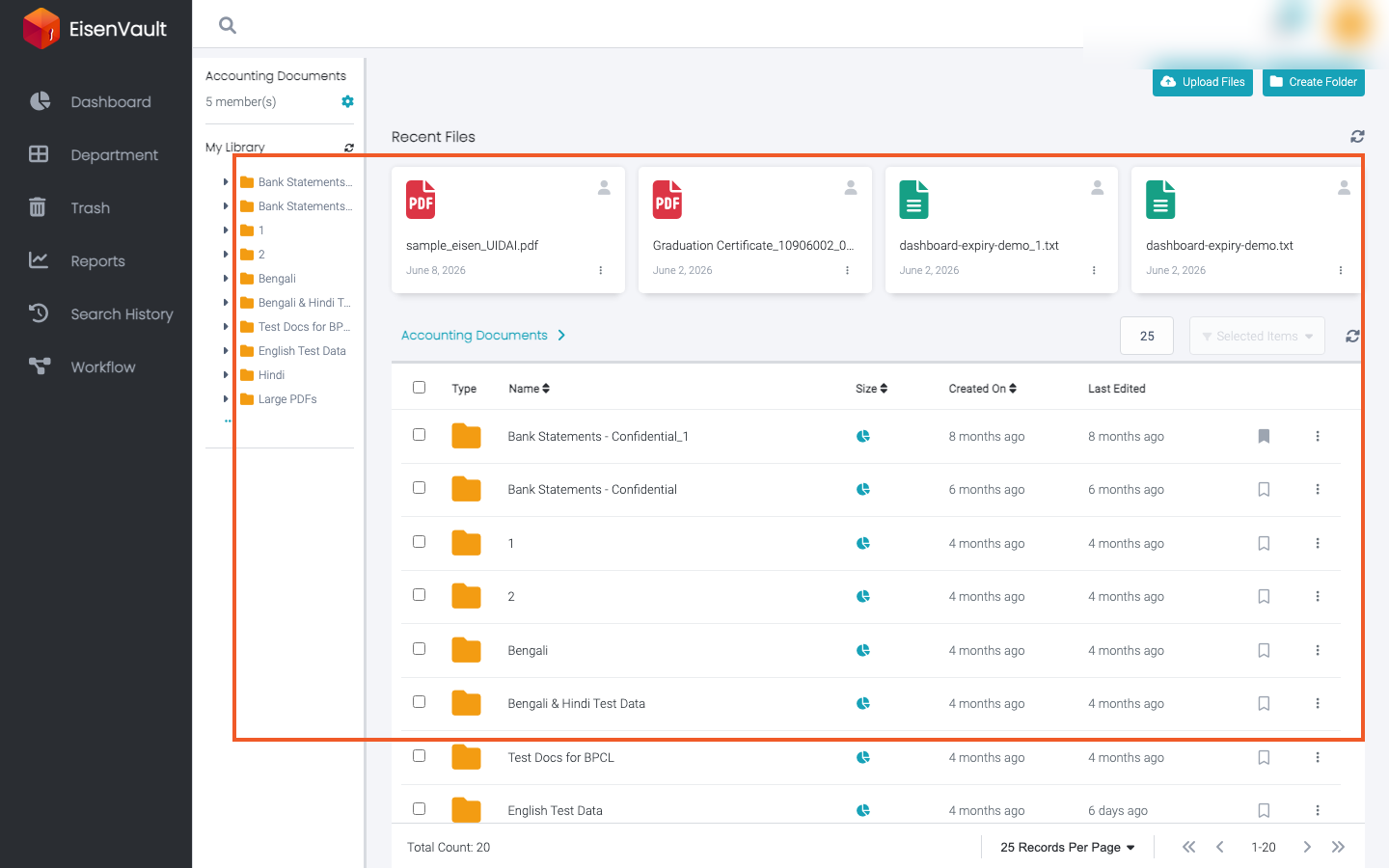
Most document actions are available from:
- The document list in a department or folder.
- The right-hand actions panel on the document preview page.
- The options menu on a file or folder row.
The actions you see depend on your permissions, the item type (file or folder), and your organization's configuration. If an action is missing, you may not have permission or the feature may be disabled. A few actions, such as Subscribe, may stay visible and show a permission message when you select them.
Screenshots in the task pages below were captured from the Accounting Documents department on the staging environment using demo files such as sample-document.pdf.
Common Tasks
- View Document
- Upload Document
- Create New Version of Document
- Update Metadata of Document
- Update Metadata of Folder
- Edit PDF in OnlyOffice
- Edit Excel / Word / PPT in OnlyOffice
- Document Expiry
- View Version History
- Restore Older Version
- Manage Permissions on File
- Manage Permissions on Folder
- Subscribe
- Subscribe Others
- View & Export Audit Trails
- Run OCR