Outbound Email
Purpose
Configure the email service EisenVault One uses to send outbound system email, including notification emails, password reset emails, and other application-generated messages.
Note: This action may require administrator privileges.
Prerequisites
- You are signed in as an administrator.
- You can open Settings from the left navigation.
- You have the sender name and sender email address approved for your organization.
- If using SMTP or MailGun, you have the provider credentials ready.
Before You Begin
Outbound email settings can include credentials and API keys. Do not paste real passwords, API keys, or private provider details into documentation, tickets, or screenshots.
Use Test Configuration after entering or changing email settings. It sends a test email using the current form values so you can confirm the configuration before relying on it for user notifications.
Choose an Email Configuration
- Open Settings and select Outbound Email Configuration.
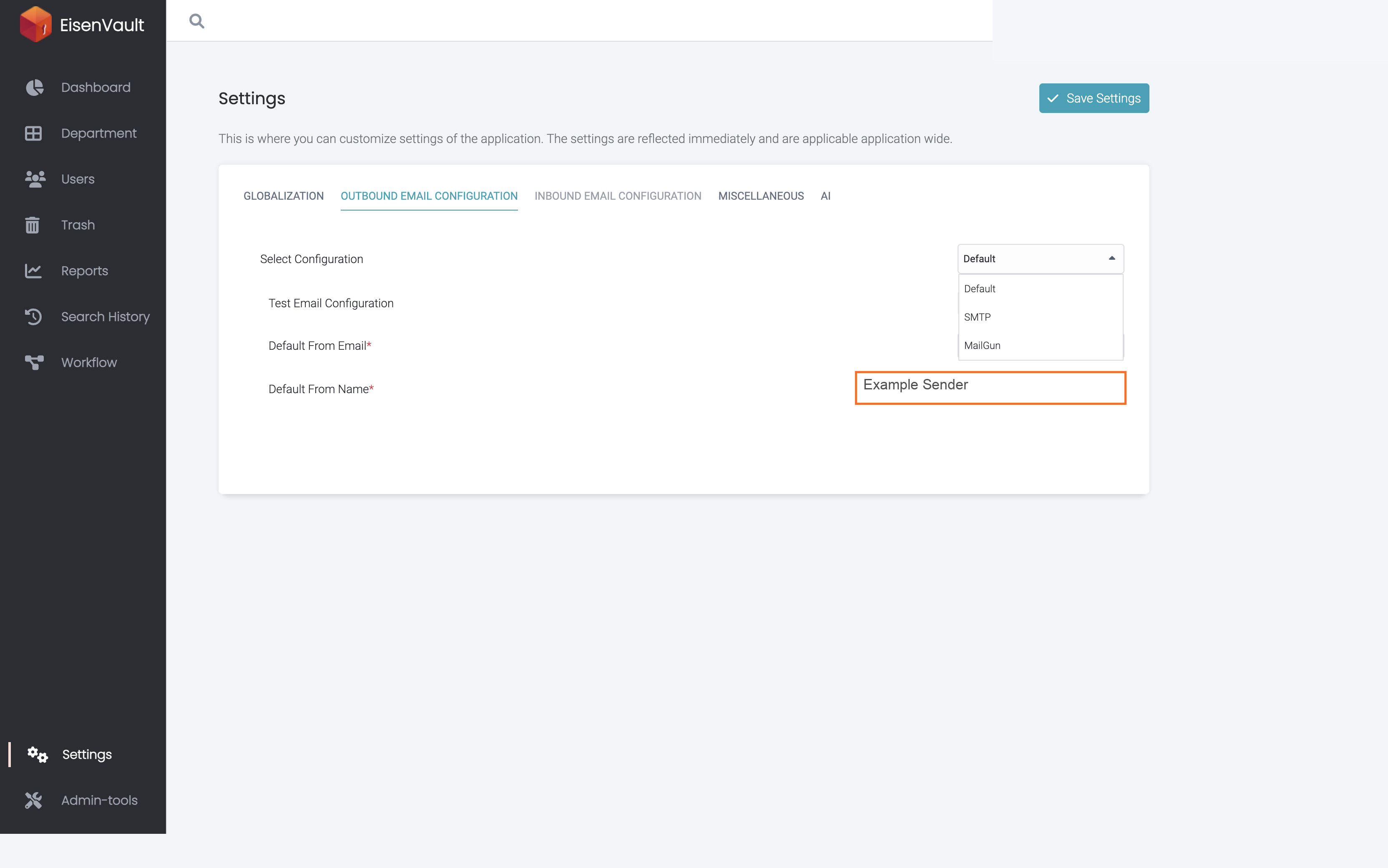
- In Select Configuration, choose one of the available drivers:
- Default: Use the platform-managed email configuration.
- SMTP: Use your organization's SMTP server.
- MailGun: Use a MailGun API key and domain.
- Enter Default From Email.
- Enter Default From Name.
- Complete any provider-specific fields.
- Click Test Configuration to verify the settings.
- Click Save Settings.
SMTP Fields
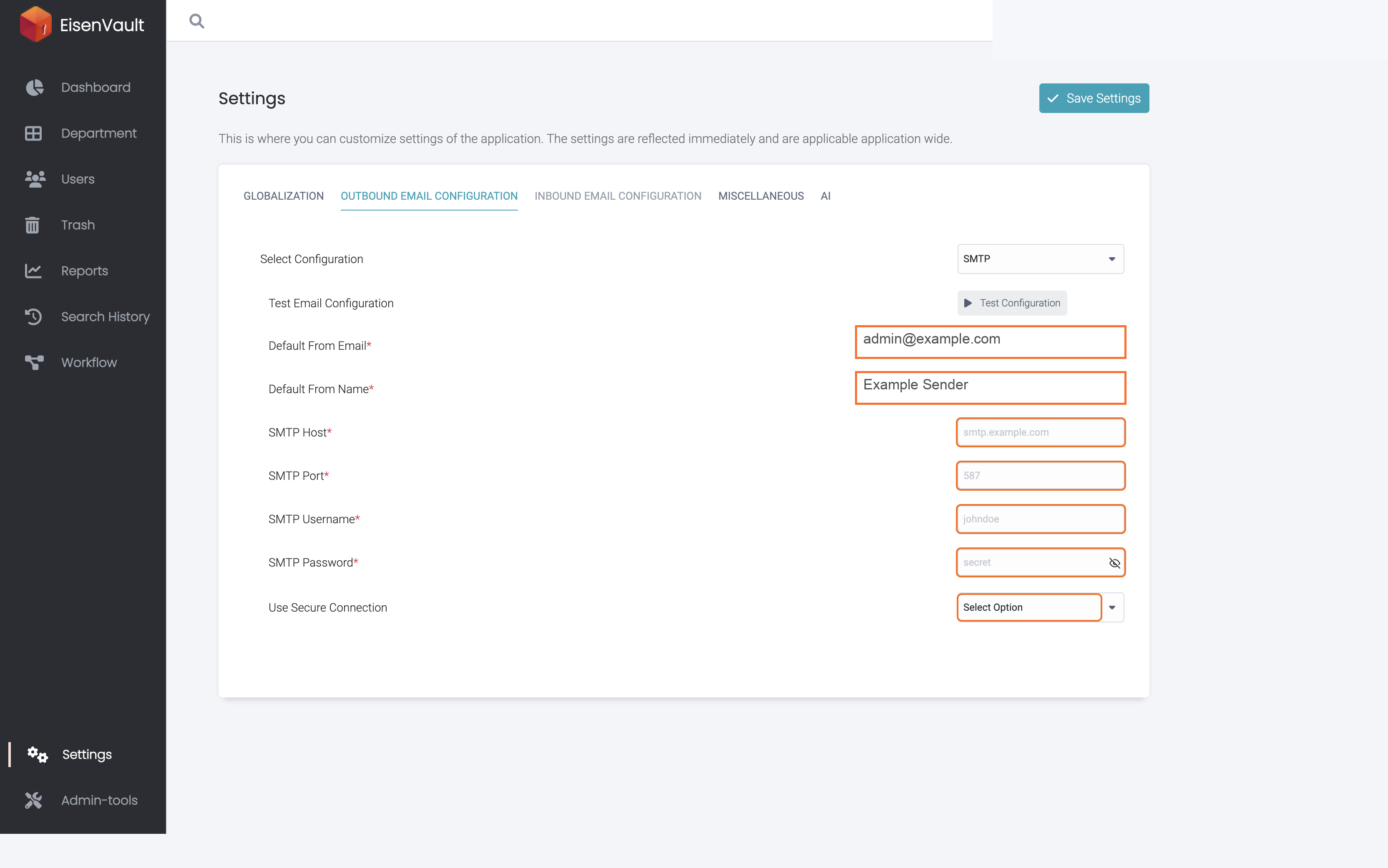
When SMTP is selected, complete these fields:
- SMTP Host: The SMTP server host name.
- SMTP Port: The SMTP server port, such as
587. - SMTP Username: The account username for the SMTP server.
- SMTP Password: The SMTP account password.
- Use Secure Connection: Select whether the SMTP connection should use a secure connection.
MailGun Fields
When MailGun is selected, complete these fields:
- API Key: The MailGun API key.
- MailGun Domain: The sending domain configured in MailGun.
Example Walkthrough
-
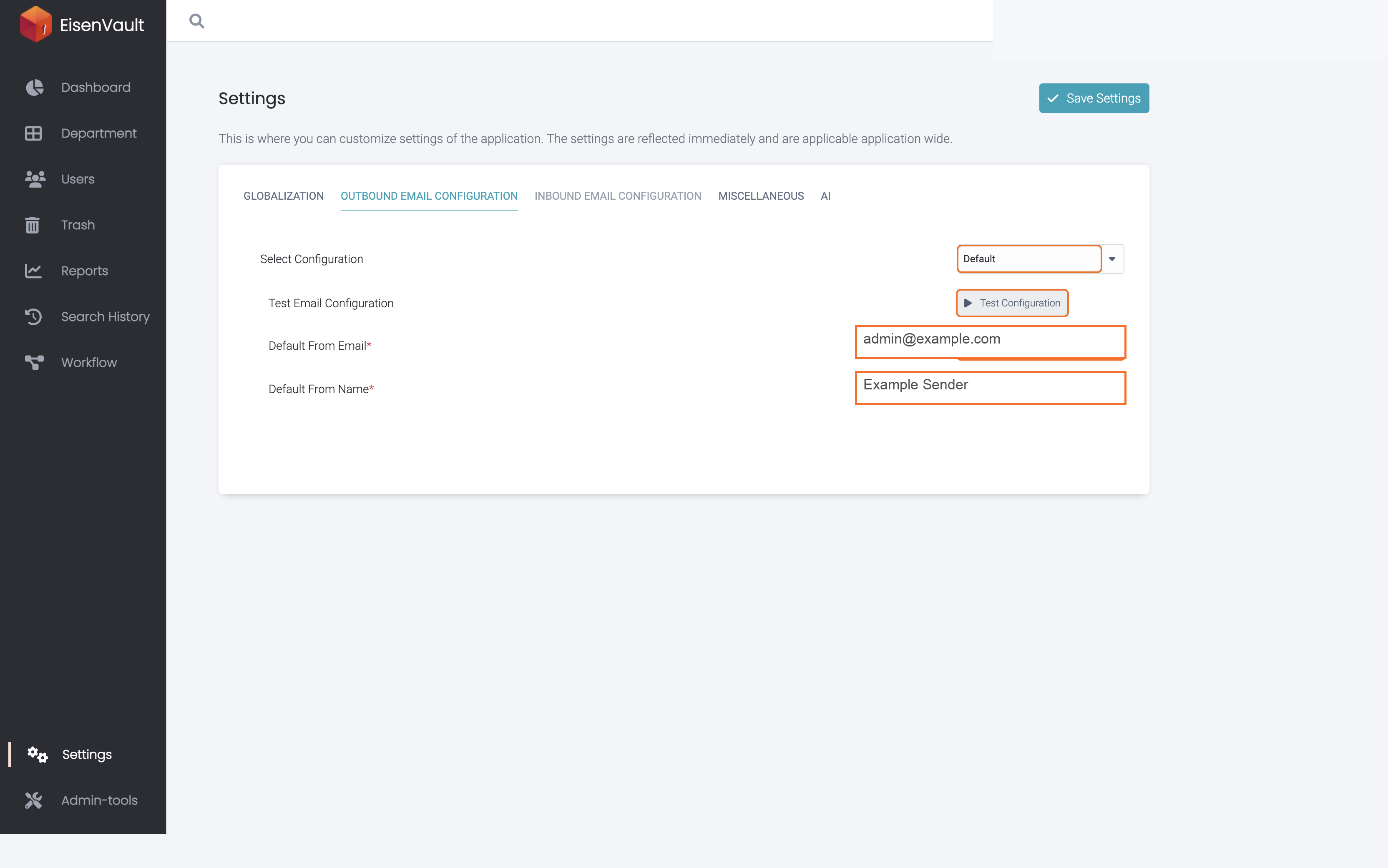
Open Settings and select Outbound Email Configuration. The sender email and sender name identify system-generated emails.
-
Open Select Configuration to choose the outbound driver.
-
If you select SMTP, complete the SMTP host, port, username, password, and secure connection fields.
Expected Result
- EisenVault One saves the selected outbound email driver and sender details.
- Test emails are sent using the configuration currently entered in the form.
- SMTP passwords and MailGun API keys are stored as credentials and are not shown back in full to administrators.