Edit Excel / Word / PPT in OnlyOffice
Purpose
Edit supported Office documents (Word, Excel, and PowerPoint) in OnlyOffice from EisenVault One.
Prerequisites
- You are signed in to EisenVault One.
- You can open the document in preview.
- You have permission to edit the document.
- OnlyOffice is enabled in your environment.
Before You Begin
EisenVault One uses the same Edit in OnlyOffice action for Word, Excel, PowerPoint, and PDF files. The editor layout changes based on the file type.
Supported examples include .docx, .xlsx, and .pptx.
Edit an Office Document in OnlyOffice
- Navigate to the document and open it in preview.
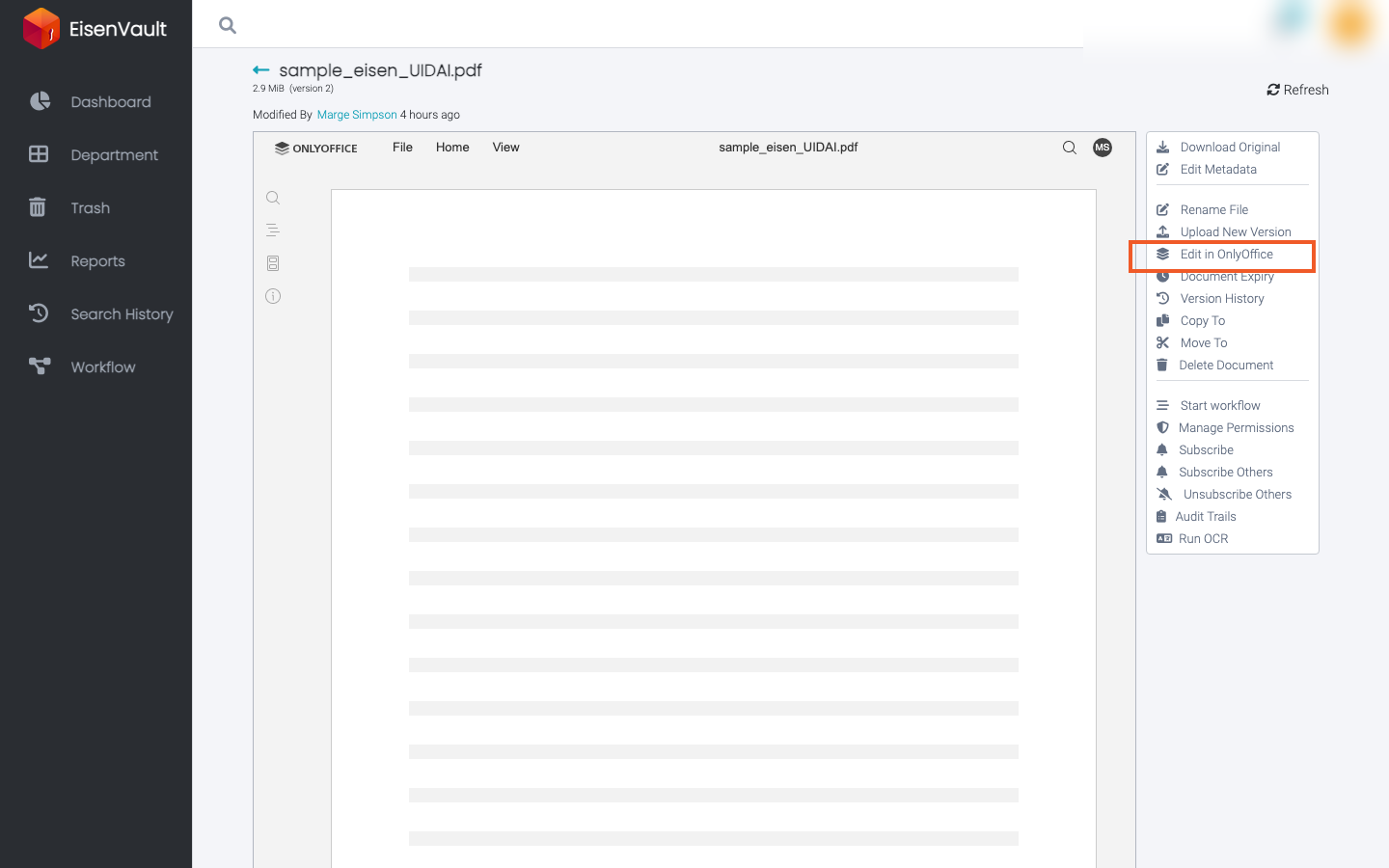
- In the right-hand actions panel, click Edit in OnlyOffice.
- Wait for the OnlyOffice editor to open in a new tab.
- Make your changes in OnlyOffice.
- Save from OnlyOffice and wait for the save confirmation.
- Return to EisenVault One and refresh preview if needed.
Example Walkthrough
-
Open preview for a Word, Excel, or PowerPoint file and click Edit in OnlyOffice.
-
Edit the file in the OnlyOffice tab that opens, then save your changes.
Expected Result
- OnlyOffice opens the Office file in a new tab with the correct editor type.
- Saved changes are written back to EisenVault One.
- A new document version may be created after a successful OnlyOffice save.