Create Group
Purpose
Create a group so you can manage access for several users together in EisenVault One.
Note: This action may require administrator privileges.
Prerequisites
- You are signed in as a user administrator or system administrator.
- You can open Admin Tools > Groups.
- You have permission to create groups.
Before You Begin
Groups are containers for users and subgroups. After a group is created, you can add users or nested groups, then use the group wherever EisenVault One lets you assign access at scale.
Use clear group names that match a job function, team, or access purpose, such as Records Reviewers or Finance Approvers.
Create a Group
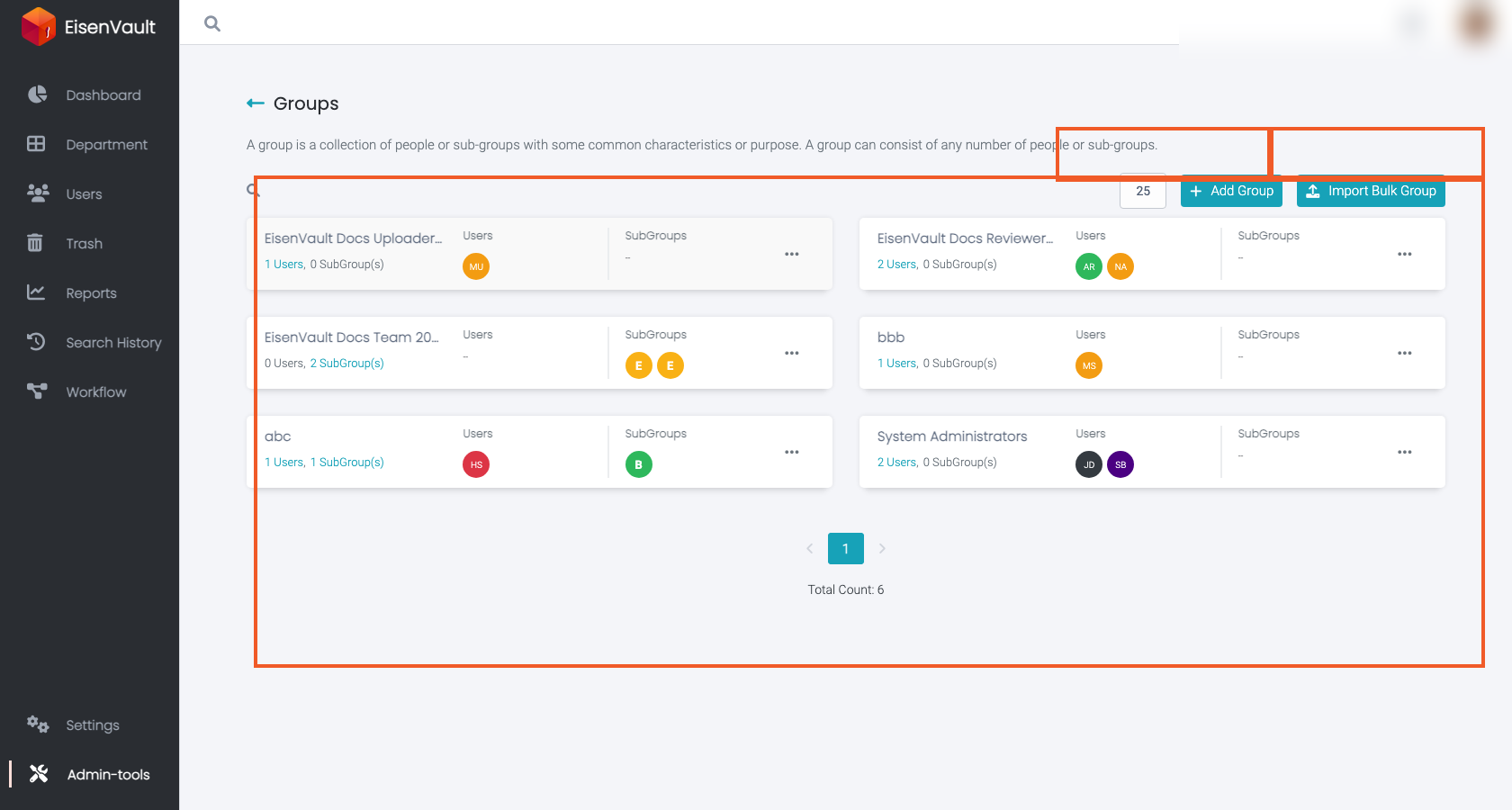
- Open Admin Tools from the left navigation.
- Select Groups.
- Click Add Group.
- Enter the Group Name.
- Click Add Group, or Add & Create Another to save and open a fresh dialog.
Example Walkthrough
-
Open Admin Tools > Groups and click Add Group.
-
After the group is created, open it to add users or subgroups.
Expected Result
- The group appears in the groups list.
- You can open the group details page to manage membership.
- The group can be used when assigning permissions or organizing users.