Enable, Disable, or Delete Roles
Purpose
Role lifecycle actions let you control whether a role can be used and whether it should exist at all.
Note: This action may require administrator privileges.
Before You Begin
Associations can block lifecycle actions
If a role is assigned to users, groups, or content items, EisenVault One may block disabling or deletion until those assignments are removed.
System roles are usually protected
System-defined roles are typically not deletable and may not be disable-able. If the UI hides or disables actions, the role may be a system role.
Enable or Disable a Role
- Open Admin Tools > Roles.
- Locate the custom role. If the action column is not visible, scroll the table horizontally.
- Use the row actions in the rightmost column:
- Edit opens the role permission set.
- Disable prevents the role from being used while keeping its definition.
- Enable restores a previously disabled custom role.
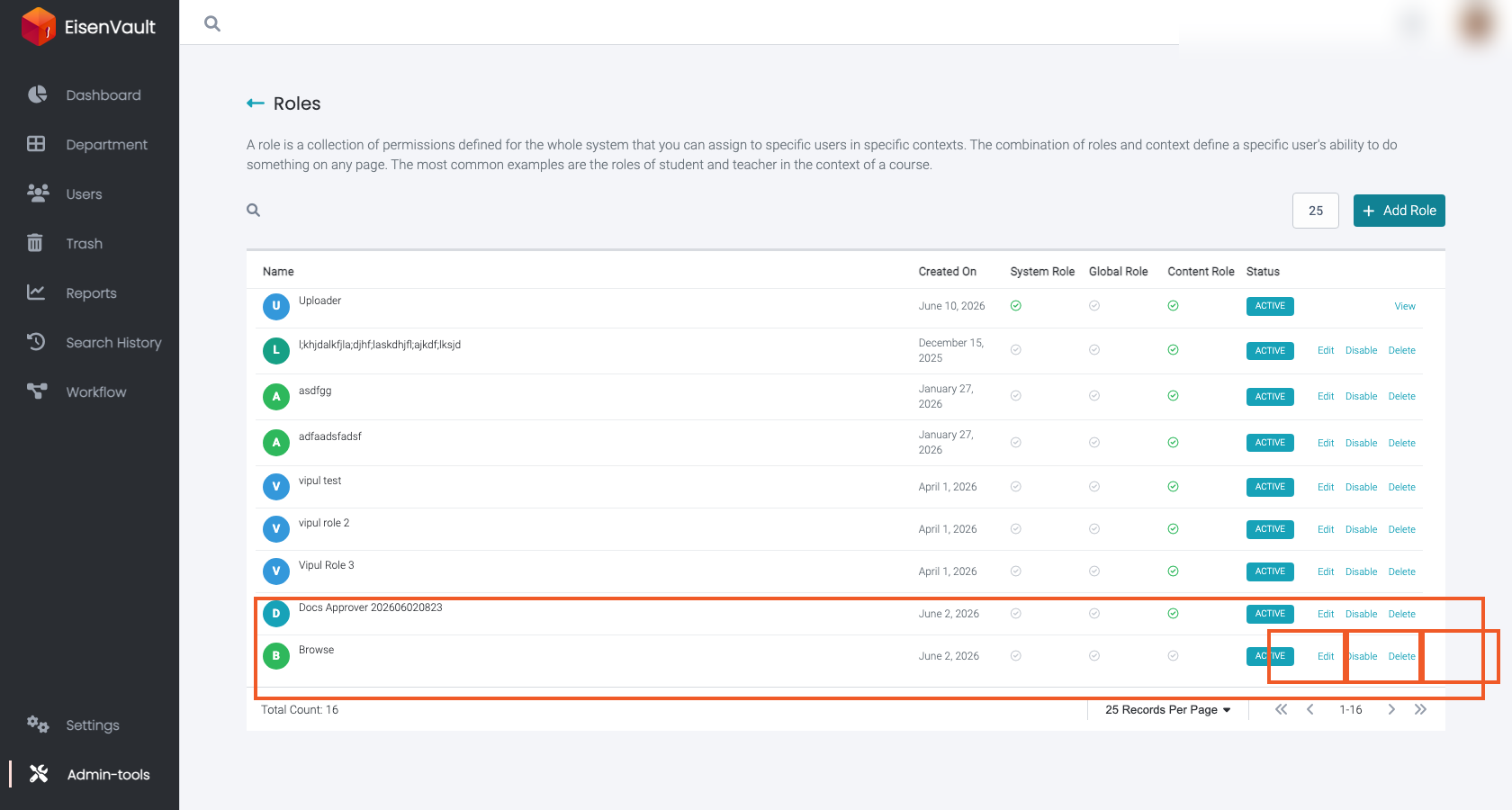
System roles show View instead of Edit, and lifecycle actions are usually hidden or disabled.
Delete a Role
- Open Admin Tools > Roles.
- Locate the custom role.
- Click Delete in the row actions.
- If deletion is blocked, EisenVault One may show an error with a link to Role Associations. Remove the role from all assignments there, then try again.
See Role Associations for the cleanup workflow.
Expected Result
- Enabled roles can be assigned and used.
- Disabled roles are retained but not usable (depending on deployment behavior).
- Deleted roles are removed after all associations are cleared.