Roles Overview
Purpose
Roles are bundles of permissions. You assign roles to users or groups to control what they can do in EisenVault One.
EisenVault One uses roles in two broad ways:
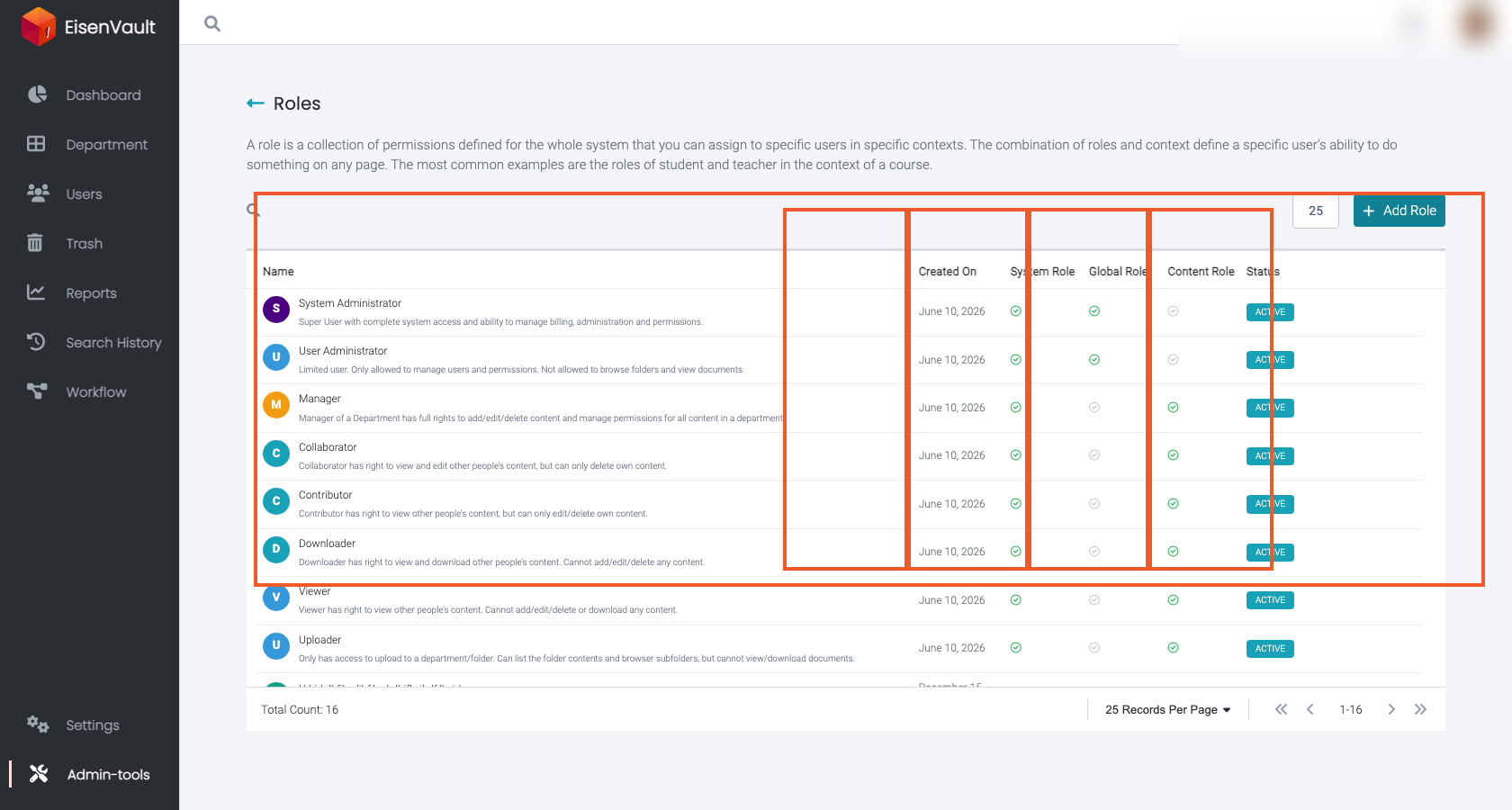
- Global roles: system-wide administrative capabilities (for example: manage users, create groups, edit roles).
- Content roles: permissions on departments, folders, and documents (for example: view documents, create documents, manage content permissions).
Note: This action may require administrator privileges.
Key Concepts
System roles vs custom roles
- System roles are created automatically and are typically not editable.
- Custom roles are defined by administrators to match an organization’s workflow.
Active vs inactive roles
Roles can usually be enabled/disabled. Disabling a role prevents it from being used while preserving its definition (depending on your deployment and constraints).
Associations
Before disabling or deleting a role, you may need to remove it from all places where it is currently used (users, groups, and content items). EisenVault One opens Role Associations when a blocked lifecycle action needs cleanup.
Roles in the UI
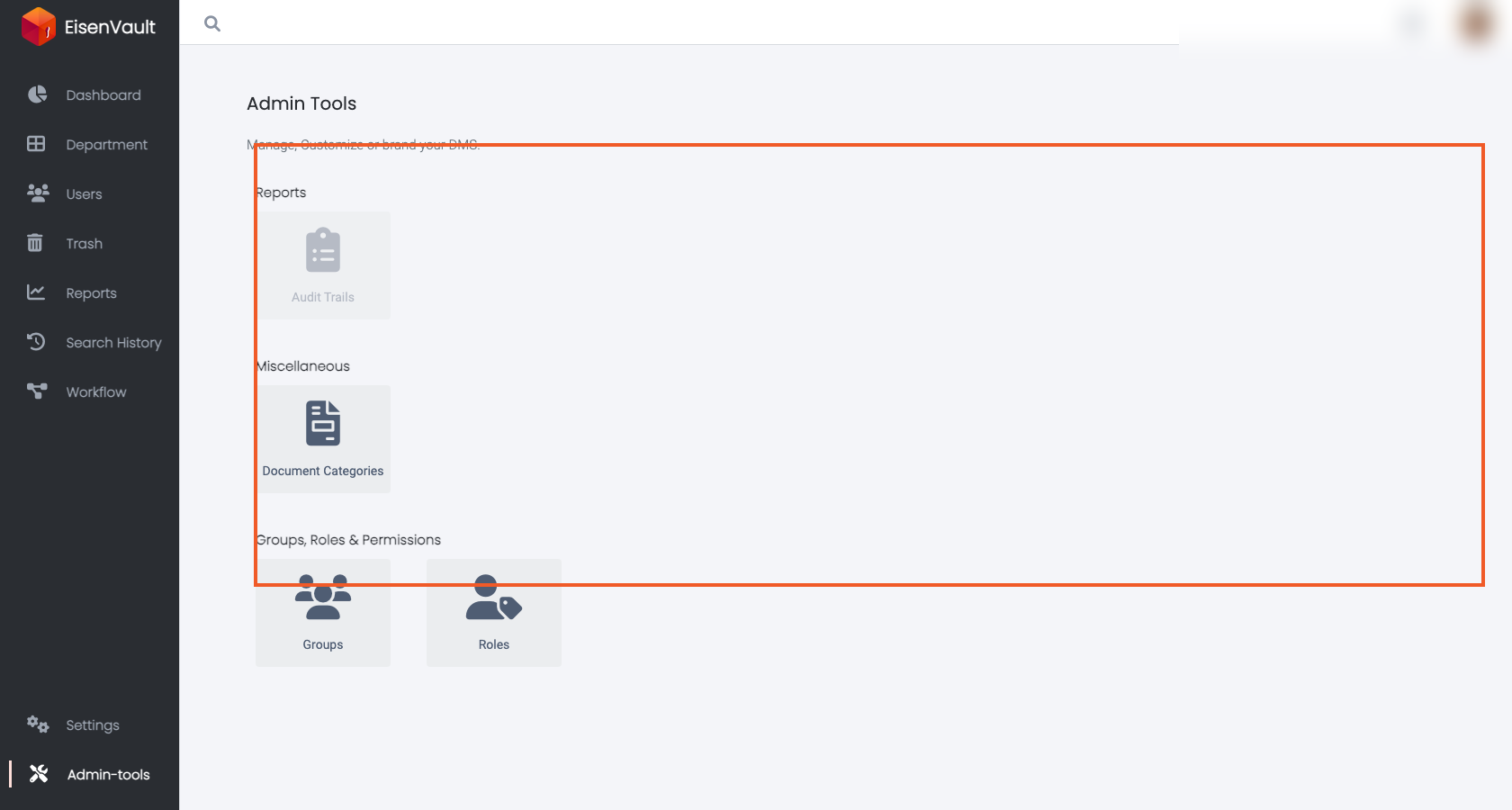
Open Admin Tools > Roles from the Admin Tools landing page. The roles list shows system and custom roles, role type columns, status, and row actions such as Edit, Disable, and Delete.
Common Tasks
- Role Types and Default Roles
- Create a Role
- Edit Role Permissions
- Enable, Disable, or Delete Roles
- Role Associations