Role Types and Default Roles
Purpose
This page explains how EisenVault One categorizes roles and what default roles exist in most deployments.
Note: This action may require administrator privileges.
Role Types
System roles
System roles are created automatically and provide baseline capabilities. In many deployments, system roles cannot be renamed and their permissions cannot be modified.
Global roles
Global roles grant system-wide capabilities. They are typically assigned directly to a user during user creation or profile updates.
Examples of global capabilities include:
- Create/edit/delete users
- Create/edit/delete groups
- Create/edit/enable/disable roles
- Edit global settings
Content roles
Content roles grant permissions on content items such as departments, folders, and documents. Content roles are applied via permission assignment on the content itself (for example: “Group HR Managers has role Manager on Department HR”).
Default Roles (Typical)
Most deployments include a standard set of roles such as:
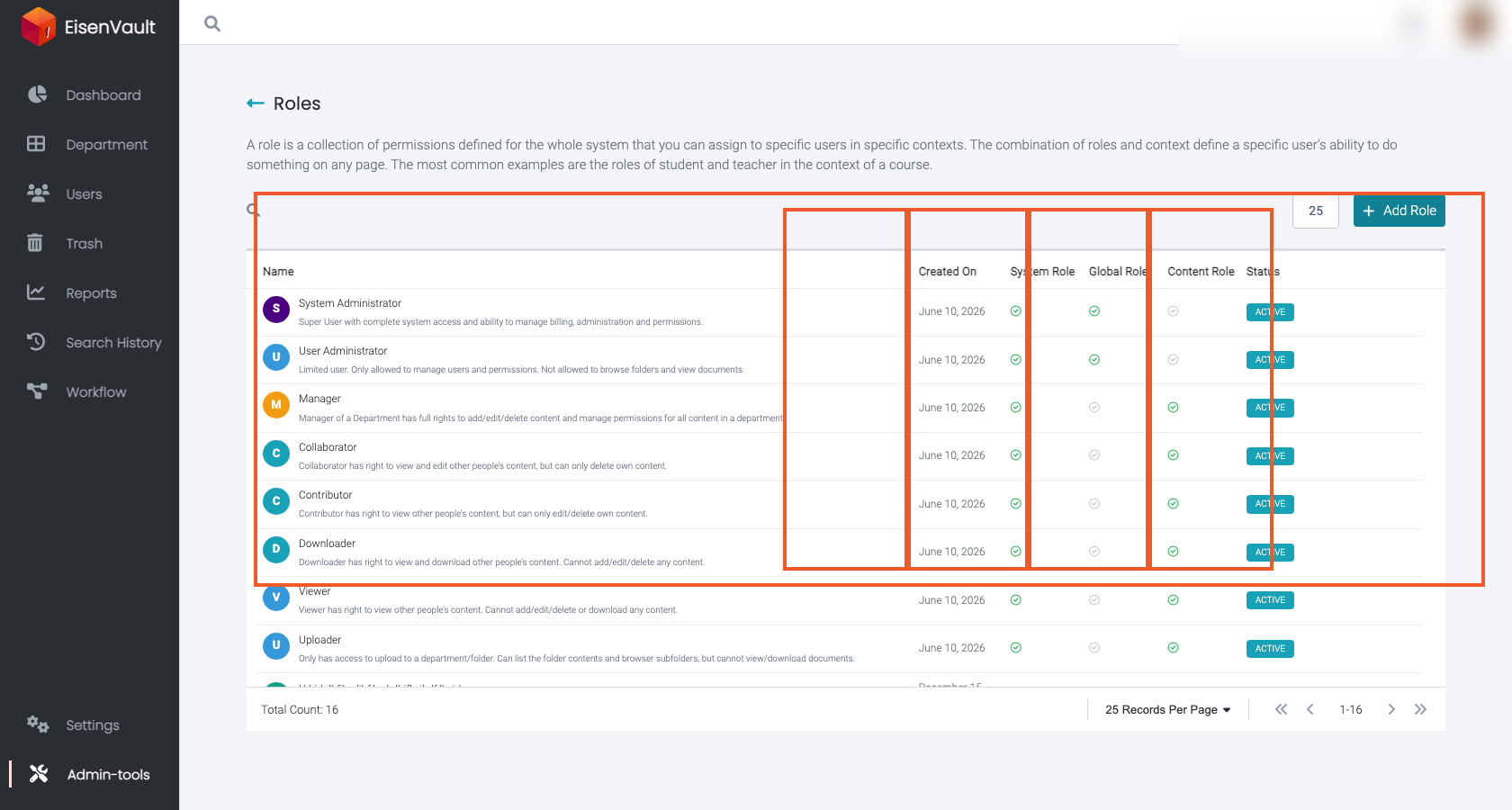
- System Administrator: full administrative control and broad access.
- User Administrator: manage users and administration, without default access to content.
- Manager: broad content rights for a department or content area.
- Collaborator, Contributor, Downloader, Viewer, Uploader: common collaboration patterns for content.
- Browse: a system-managed role for path visibility. It lets someone see the parent folders leading to content they can access, without giving full access to those folders.
Exact permissions for each role can vary by deployment and configuration. Use the Roles pages and permission reference to confirm what each role grants in your environment.
The roles list shows which default roles are system roles, global roles, content roles, and whether they are active. System roles use View in the action column instead of Edit.
Special Notes and Constraints
Draft roles
Custom roles may be created in a draft state while you select permissions. Finalizing a role typically requires at least one permission.
Deleting or disabling roles
Roles may be blocked from deletion or disabling if they are currently assigned. In that case, remove role associations first.