Add Users to a Group
Purpose
Add users to a group so they inherit access and permissions wherever the group is used.
Note: This action may require administrator privileges.
Prerequisites
- You are signed in as an administrator.
- You can open Admin Tools > Groups.
- The group already exists.
Add Users
- Open Admin Tools > Groups.
- Click the group name to open its details.
- Confirm the Users tab is active.
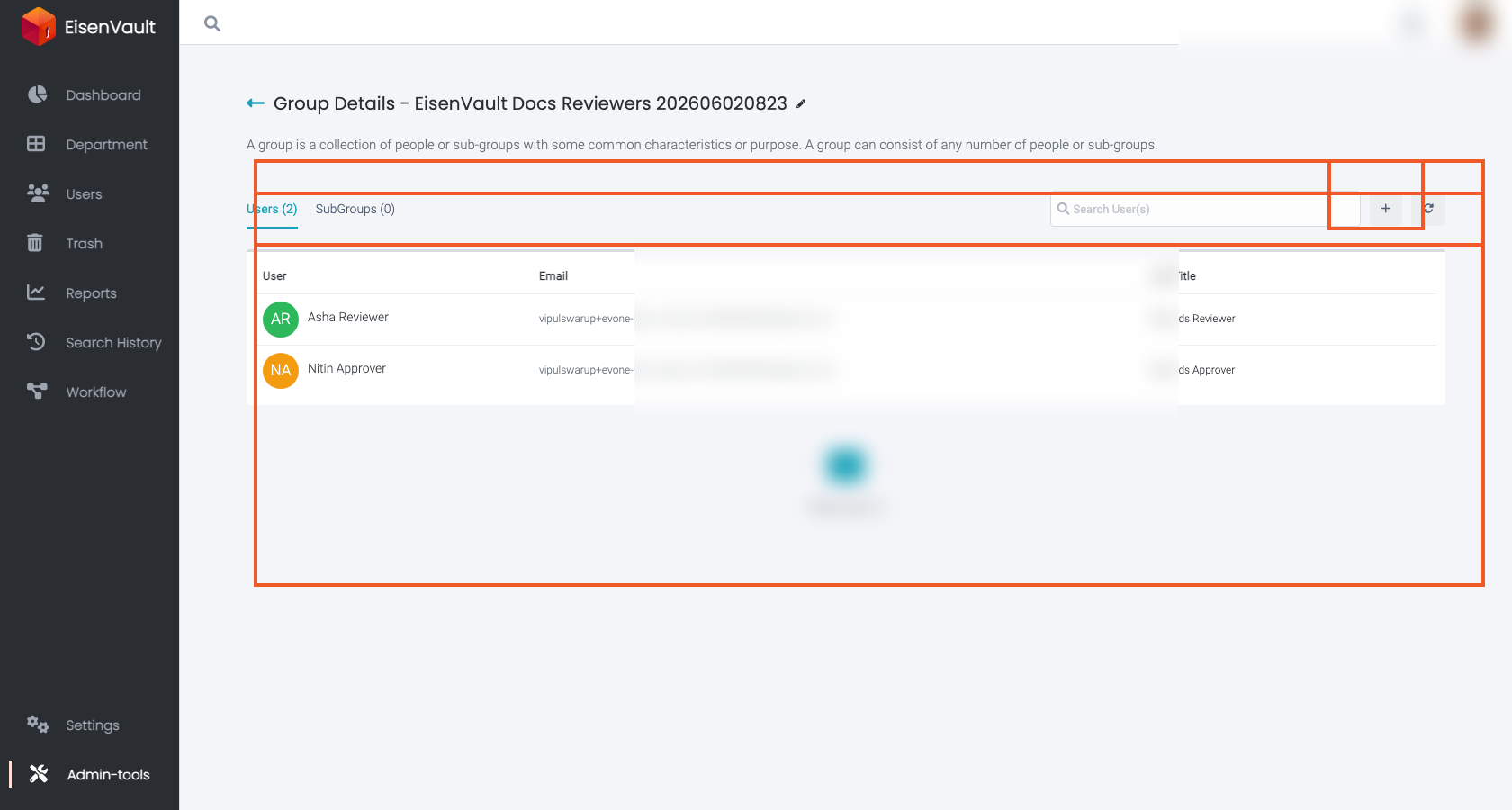
- Click the + button in the toolbar, or Add User(s) when the group is empty.
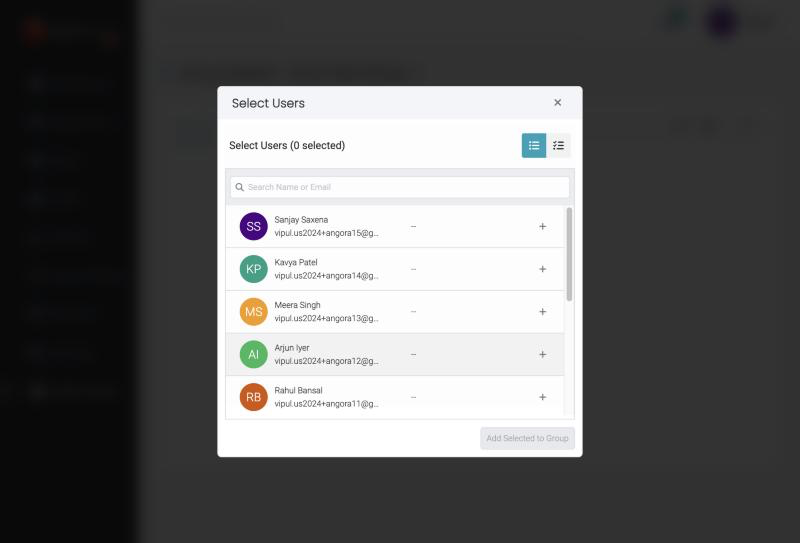
- In the Select Users window, search by name or email and click + beside each user you want. The heading shows how many are selected.
-
Click Add Selected to Group.
The example below shows a sample reviewers group after users have been added. The + button and membership table are highlighted. Email addresses are redacted.
Expected Result
- The selected users appear in the group’s Users list.
- Those users now receive any access granted to the group (directly or through nested group membership).