View Version History
Purpose
Review previous versions of a document, including who created each version, when it was created, and any version comments.
Prerequisites
- You are signed in to EisenVault One.
- You can open the document in preview.
- You have permission to view version history.
Before You Begin
Version history is available only for documents, not folders. Each entry represents a saved version of the same document record.
View Version History
- Navigate to the document and open it in preview.
- In the right-hand actions panel, click Version History.
- Review the version list in the Version History drawer.
- Use pagination at the bottom when more than one page of versions exists.
- Close the drawer when you are finished.
Example Walkthrough
-
Open preview and click Version History.
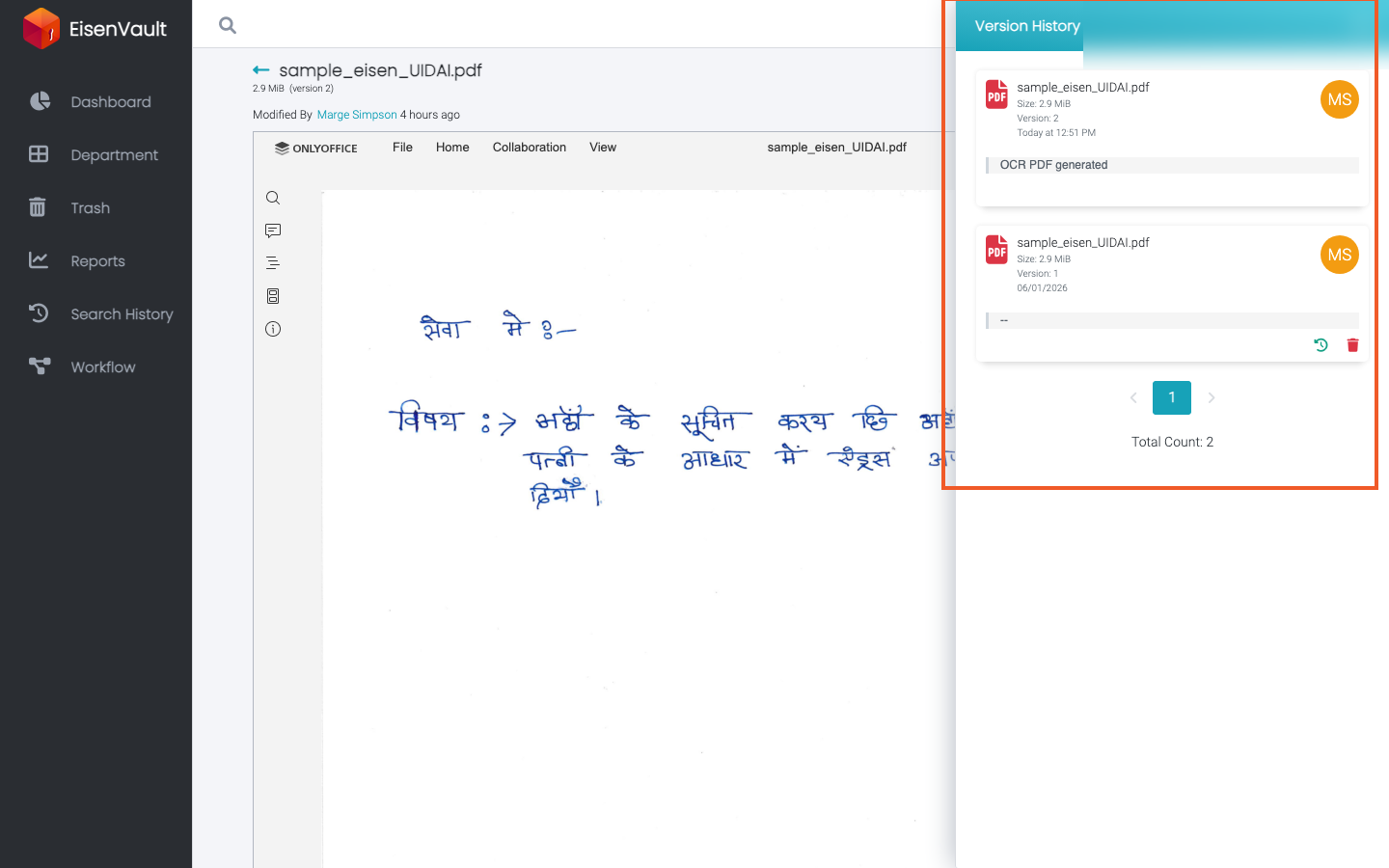
-
Review each version's number, creator, date, and comment.
Expected Result
- The Version History drawer lists all saved versions for the document.
- You can identify the current version and older versions.
- Pagination works when the document has many versions.