Full Text Keyword Search
Purpose
Find files and folders in EisenVault One using a keyword that matches file names, metadata fields, or document content.
Prerequisites
- You are signed in to EisenVault One.
- You can access the departments and folders that contain the content you need.
Before You Begin
EisenVault One searches across:
- File names — the document or folder name shown in the Explorer.
- Metadata — values stored in document categories and custom fields.
- Content — text inside supported documents when content indexing is enabled.
On the full Search results page, matching rows can show a snippet label such as Matched in content, Matched in metadata, or Matched in file name so you can see why a result matched.
The header search placeholder reads Search files, folders, and more.... Two small icons sit at the right of the search box:
- ab groups the words you type into one exact phrase.
- The magnifier with a plus sign opens Advanced Search.
Run a Keyword Search
- Click the magnifying-glass icon in the top header.
- Type your keyword in the search field.
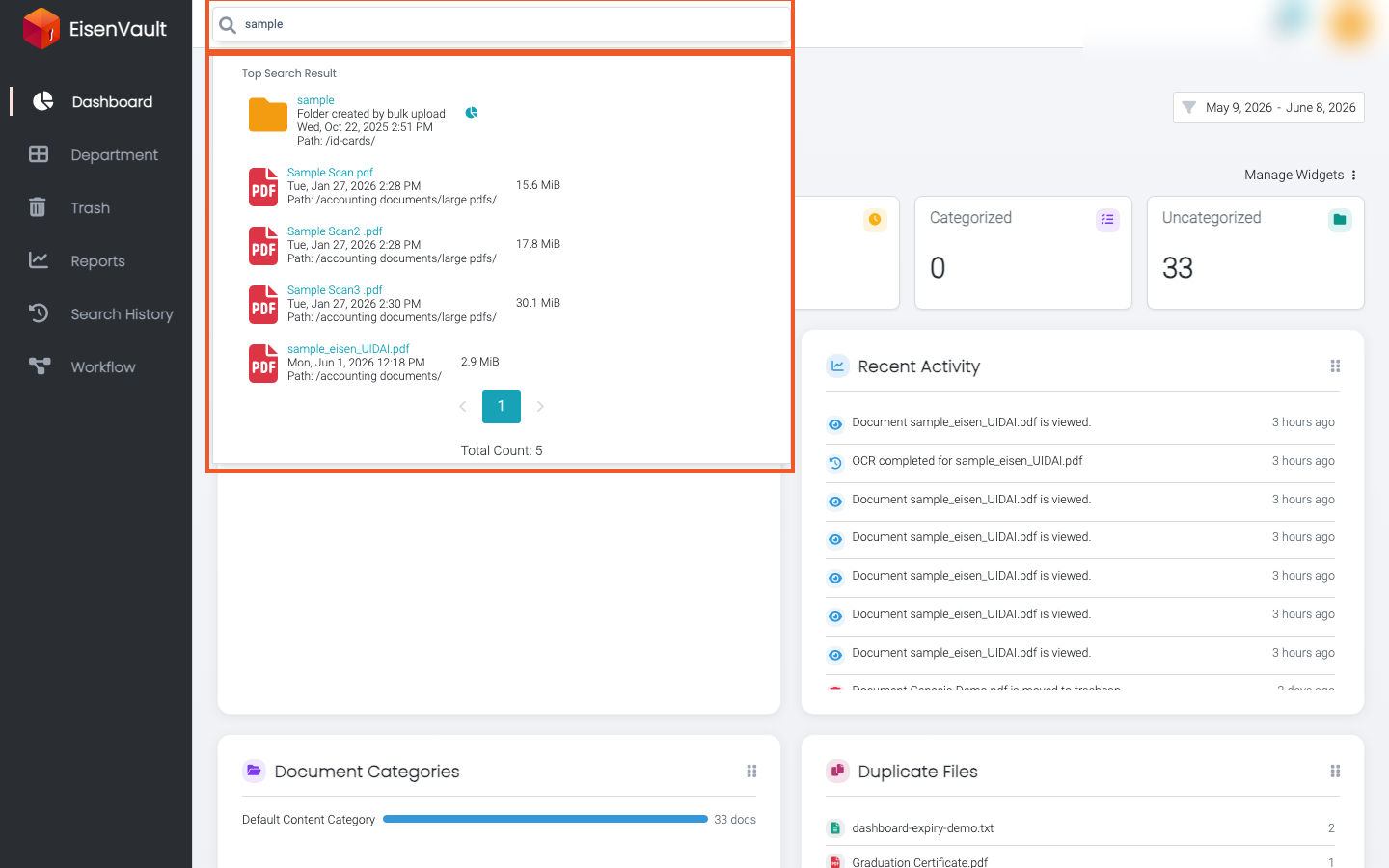
- Optional: review matches in the Top Search Result popup while you type on pages other than Search.
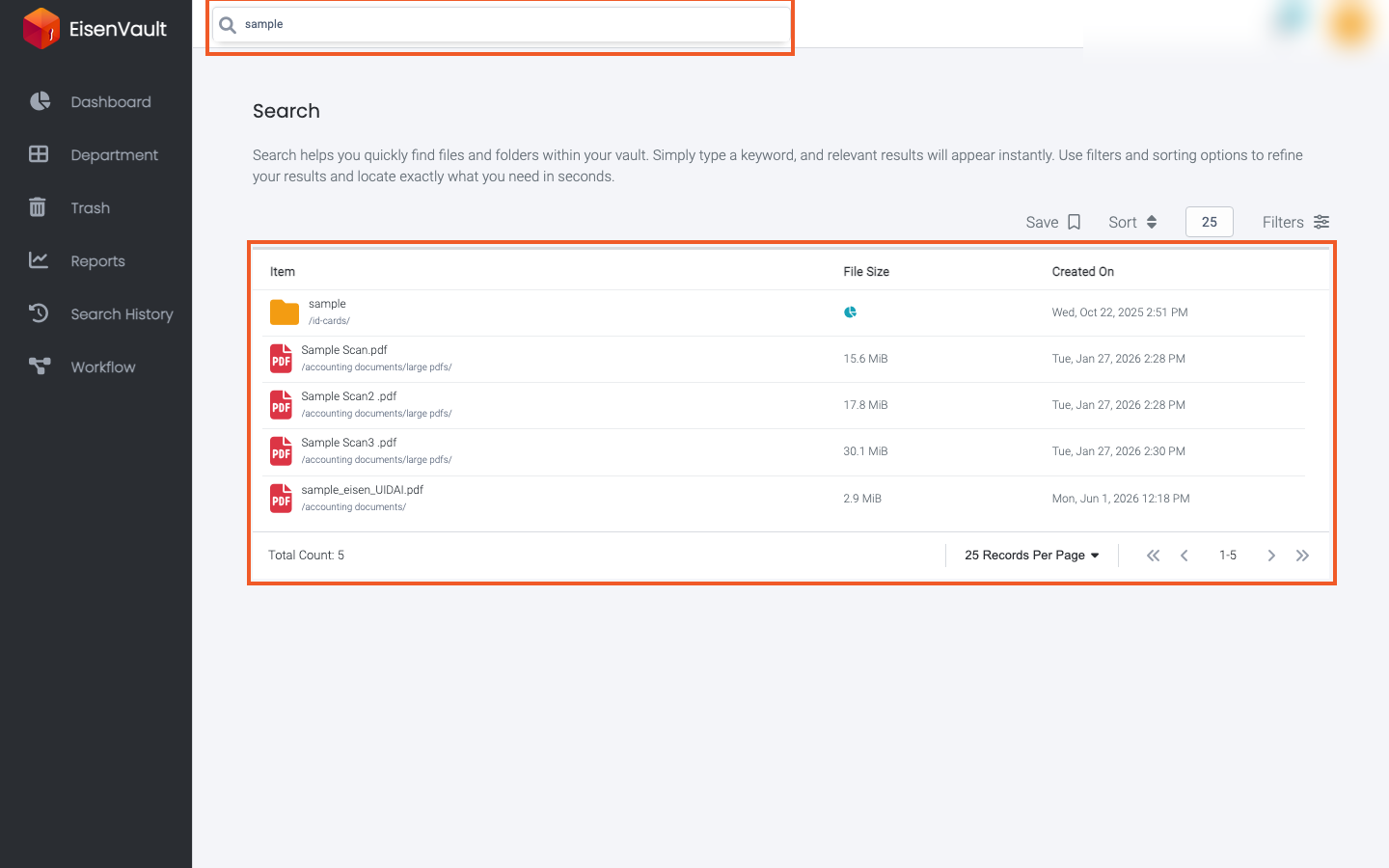
- Press Enter to open the full Search page with all matching items.
- Click a file name to open the document in preview, or click a folder name to open it in the Explorer.
Example Walkthrough
-
Open the header search field and type a keyword such as
sample.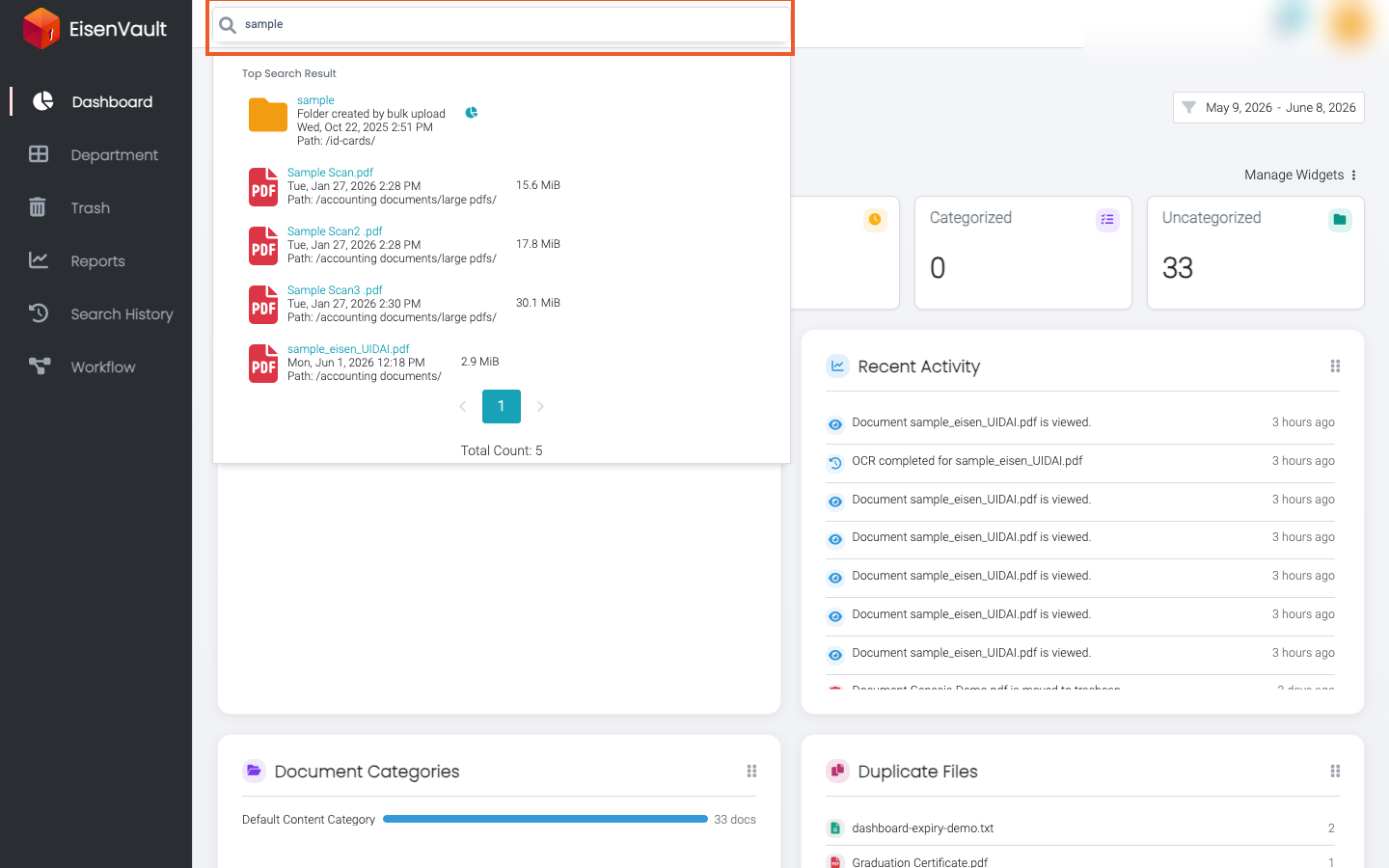
-
While browsing another page, review quick matches in the Top Search Result popup.
-
Press Enter to open the full results list. The table has Item, File Size, Created On, and Updated On columns.
Refine Results
After you open the full Search page, you can:
- Click a column heading (Item, File Size, Created On, or Updated On) to sort. Click again to reverse the order.
- Change the records-per-page control at the top right of the table to show more or fewer rows per page.
- Open Advanced Search to limit results by item type, category, file type, size, author, editor, or dates.
Expected Result
- Matching files and folders appear in the search results list.
- Content matches show a highlighted snippet under the item path when available.
- Clicking a result opens the file preview or folder location you are allowed to access.
- When a match is an attachment, the result opens its parent document's preview. See Document Attachments.