Edit PDF in OnlyOffice
Purpose
Edit a PDF document in OnlyOffice from EisenVault One.
Prerequisites
- You are signed in to EisenVault One.
- You can open the document in preview.
- You have permission to edit the document.
- OnlyOffice is enabled in your environment.
Before You Begin
Edit in OnlyOffice opens the document in a new browser tab. Save your changes in OnlyOffice before closing the tab. EisenVault One records the edit as a new version when the save callback completes.
Edit a PDF in OnlyOffice
- Navigate to the document and open it in preview.
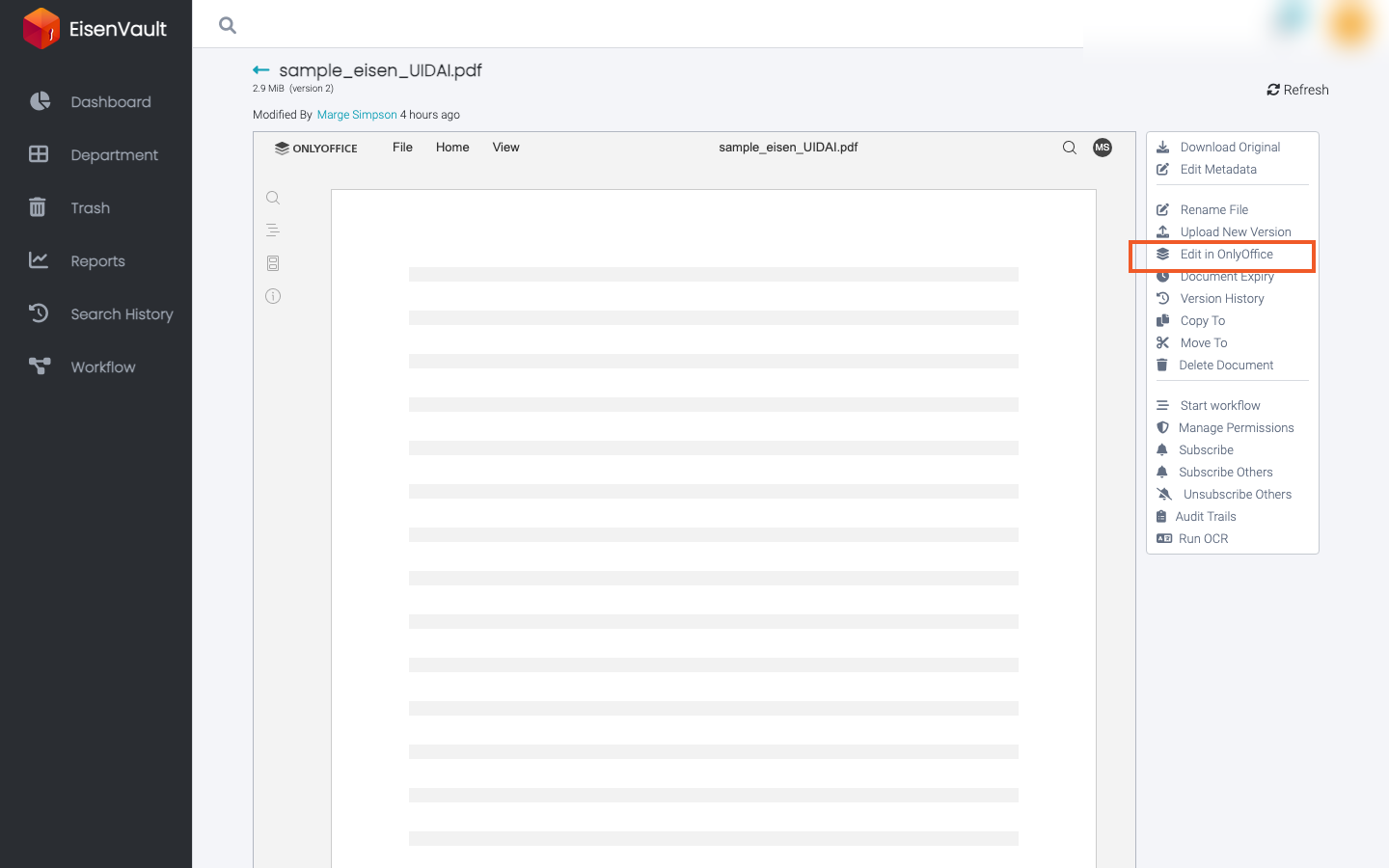
- In the right-hand actions panel, click Edit in OnlyOffice.
- Wait for the OnlyOffice editor to open in a new tab.
- Make your changes in OnlyOffice.
- Save from OnlyOffice and wait for the save confirmation.
- Return to EisenVault One and refresh preview if needed.
Example Walkthrough
-
Open preview and click Edit in OnlyOffice.
-
Edit the PDF in the OnlyOffice tab that opens, then save your changes.
Expected Result
- OnlyOffice opens the PDF in a new tab.
- Saved changes are written back to EisenVault One.
- A new document version may be created after a successful OnlyOffice save.